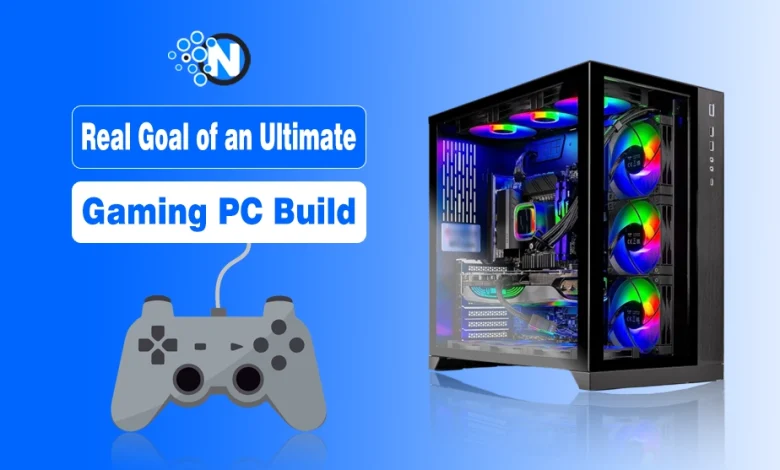
Before buying parts, define what “ultimate” means to you. For most players in 2026, it’s a setup capable of 1440p or 4K gaming, smooth performance in modern titles, and readiness for VR, streaming, or AI-assisted content creation. An efficient build should also run quietly and stay relevant for several upgrade cycles.
The realistic cost for such performance sits between $2000 and $3500, depending on brand choices and launch timing. This range accounts for new GPU prices, DDR5 memory, and rising component demand. Without a clear plan, many buyers spend hundreds extra chasing unnecessary features. The goal is balance, not extravagance.
To start planning, identify what kind of user you are:
- Competitive gamer: prioritizes FPS and refresh rate; GPU and monitor take most of the budget.
- VR user: values GPU strength and frame stability; invests in cooling and PSU quality.
- Streamer or creator: needs a strong CPU, additional RAM, and fast NVMe storage.
- All-purpose gamer: seeks efficiency, quiet operation, and upgrade options.
- Practical buyer: aims for longevity; spends more on durability and warranty coverage.
Knowing your profile keeps your build realistic and tailored to your daily use.
What Performance Targets Should You Aim For?
Every budget begins with a target frame rate. Deciding on the desired resolution and FPS sets the stage for every purchase. Buying beyond your screen’s refresh rate is wasted money; focusing on realistic numbers saves hundreds.
Here is a simple comparison of typical performance tiers in 2026:
| Game Type | Resolution | Target FPS | Tier |
|---|---|---|---|
| Esports / shooter | 1080p | 144–240 | High |
| AAA adventure | 1440p | 90–120 | High |
| 4K cinematic | 4K | 60–90 | Ultra |
| Game + stream | 1440p | 120 | High |
Modern players multitask. They record, stream, edit clips, and sometimes use AI tools. Each of these tasks changes your hardware priorities. For instance, a pure gamer can invest up to 45% of the total budget in the GPU, while a content creator should shift 10–15 % toward CPU and RAM. The key difference lies in core count and memory bandwidth.
Ignoring these details often leads to imbalance, a powerful graphics card paired with an underperforming processor that limits performance. For gamers who stream or multitask, a 12-core CPU and at least 32 GB RAM will be the new baseline in 2026.
Which Components Add the Most Value per Dollar?
Not every upgrade brings visible gains. In 2026, GPUs still deliver the biggest boost, followed by CPU and RAM. Overspending on aesthetics or premium motherboards rarely translates to smoother gameplay.
Here’s how to split your budget sensibly:
- GPU: 35–45% of total cost
- CPU: 15–20%
- Motherboard: 8–12%
- RAM: 8–10%
- Storage: 8–12%
- Case, cooling, PSU: 10–15%
This distribution keeps performance balanced. Spending too much on one component often causes bottlenecks elsewhere.
Safe compromises to cut costs without performance loss:
- Downgrade from a flagship motherboard to a reliable mid-range model.
- Start with a smaller SSD and expand later.
- Use an air cooler unless you overclock heavily.
- Avoid excessive RGB lighting and cosmetic parts.
Each of these changes can save $200–$300 while keeping identical frame rates. However, never compromise on the power supply or cooling quality, these ensure system stability and long lifespan.
How Release Cycles and Market Trends Influence the Best Time to Buy PC Hardware
Even the smartest configuration can become expensive if bought at the wrong time. PC parts fluctuate in price based on release windows, stock shortages, and major sale events.
According to the Bureau of Labor Statistics, personal computer prices have gradually declined over the past decade, though sharp increases appear during chip shortages or crypto mining booms. Understanding this history helps modern buyers predict better purchase moments.
Lessons from recent pricing trends:
- GPU prices usually drop 10–20 % once a new generation arrives.
- SSD prices fall steadily as capacity doubles every 18–24 months.
- Peripheral discounts reappear in seasonal cycles across major retailers.
Keeping a simple price tracker, for example, a spreadsheet comparing your target parts, helps spot genuine discounts and avoid fake ones.
When to buy for the best savings:
- August–September: back-to-school promotions for monitors and peripherals.
- November: Black Friday and Cyber Monday GPU and SSD discounts.
- January: post-holiday clearance on cases and cooling systems.
- June–July: pre-launch clearance of older CPUs or GPUs.
Waiting for these events can reduce your build cost by 10–25 % without compromising performance. Yet timing must remain practical, if your PC is breaking down or you rely on it for income, waiting may cost more in lost productivity than you’ll save.
How Should You Define a Realistic Budget Plan?
A financial plan protects you from turning excitement into debt. Instead of guessing, tie your spending to actual income.
Three reliable budgeting strategies to consider:
- One-time purchase: save the full amount and buy everything together for component compatibility.
- Step-by-step build: purchase key parts first (case, PSU, motherboard) and add upgrades over time.
- Hybrid plan: buy the core system now and the GPU later, taking advantage of next-gen discounts.
For reference, saving $250 monthly gives you $2 500 in ten months, enough for a powerful build when 2026 GPUs mature. Avoid exceeding more than one to two months of discretionary income; this prevents gaming expenses from affecting essential payments like rent or bills.
Should You Pay in Cash or Consider Financing?
Paying outright is always the simplest path, but not everyone can allocate a few thousand dollars instantly. Responsible financing lets you spread costs safely, provided you understand the terms.
To stay financially healthy, keep your PC-related monthly payment below 10 % of your net income. Borrowing beyond that threshold may turn a hobby into a burden. Before signing anything, compare several lenders and read every clause carefully.
If you want to explore flexible payment plans, you can check some PC financing options to compare transparent offers and choose what fits your budget.
Features of a responsible financing offer:
- Clear APR with fixed monthly installments.
- Short terms, ideally 12–24 months.
- No prepayment penalties or hidden fees.
- Lender transparency—contact details and published rates are visible.
Red flags to avoid:
- APR higher than 30% or “variable rate” with no cap.
- “Guaranteed approval” slogans—often a trap for risky loans.
- Pre-computed interest (you pay the full amount even if repaid early).
- Extra “insurance” or administrative fees buried in fine print.
To see the difference, imagine a $2000 build:
- at 0% APR, the total remains $2000;
- at 20% APR, you’ll repay about $2440—that $440 could buy an extra SSD or a high-refresh monitor.
Financing isn’t wrong when used strategically. The key is treating it like any other bill and committing to punctual payments.
How Can You Organize Monthly Savings for Your Build?
Budgeting works best when broken into smaller, achievable targets. Setting a fixed monthly goal makes progress visible and keeps motivation high.
Example saving scenarios for different users:
- Student gamer: total goal $1200–$1600 → save $150/month for 8–10 months.
- Enthusiast: total $2000–$2800 → save $250–$300/month for 9 months.
- Ultra-high-end: total $3000–$4 000 → save $400/month for 10–12 months.
Automate these transfers right after payday so saving becomes routine. If unexpected expenses appear, pause, not cancel,the plan. Even small, steady contributions matter more than sporadic large ones.
To visualize progress, maintain a simple spreadsheet: list each component, its target price, and the amount saved toward it. Watching numbers grow reinforces discipline better than vague goals ever could.
What’s the Safest Way to Mix Cash and Credit?
Some builders combine partial savings with a short-term loan or 0% credit card. Done wisely, this hybrid method avoids debt stress and takes advantage of seasonal deals.
Here’s how to split responsibly:
- Use savings for essentials—CPU, motherboard, and PSU.
- Use credit or financing for time-sensitive deals like discounted GPUs.
- Repay financed items within promotional 0 % periods; avoid carrying balances.
Keeping financed portions small, no more than one-third of the total build, protects you from interest shocks if something goes wrong.
Where Can You Trim Costs Without Losing Performance?
A good build is about balance, not excess. Strategic savings often improve value without reducing speed or quality.
Before cutting, decide what you can live without. Then follow this checklist:
- Storage: start with 1TB NVMe, add drives later.
- Motherboard: choose stable mid-range models instead of “flagship” versions.
- Cooling: reliable air coolers perform almost as well as liquid ones.
- Aesthetics: RGB and glass panels don’t increase FPS.
Each of these choices can lower the cost by $250–$350, often with zero real-world difference.
Components you should never cheap out on:
- Power supply—choose 80 Plus Gold or better.
- Cooling fans—poor airflow reduces the lifespan of every part.
- Storage brands—unverified SSDs risk data loss.
Budget cuts should protect longevity, not shorten it.
Can You Reuse Parts From Older Builds?
Reusing equipment is one of the easiest ways to save. But before you plug anything in, confirm compatibility and safety.
Quick compatibility checklist:
- PSU wattage: at least 20 % above the GPU’s requirement.
- Connectors: correct cables for modern GPUs and motherboards.
- Storage drives: check interface (SATA vs NVMe).
- Case size: fits GPU length and radiator clearance.
Safe reuse applies to monitors, peripherals, and even cooling fans. However, never reuse a power supply older than five years, aging capacitors can damage new hardware.
How Can You Lower Long-Term Electricity Costs?
Performance isn’t only about frames per second, it’s also about efficiency. A gaming rig running eight hours a day draws noticeable power. Small optimizations reduce utility bills and heat output.
Energy-saving actions worth implementing:
- Pick 80 Plus Gold or Platinum PSUs for 5–10 % higher efficiency.
- Use GPUs’ eco or balanced power modes when not gaming.
- Enable motherboard power-saving profiles.
- Let monitors and RGB lighting auto-sleep after inactivity.
Even a 100-watt reduction in average draw saves roughly $25–$30 per year, based on typical electricity prices. Over a five-year lifespan, that’s the cost of an upgraded CPU cooler—earned back through smart configuration.
How Can You Time Purchases for Maximum Value?
Market timing matters as much as performance tuning. GPU and SSD prices move like tides: predictable but fast.
The most advantageous buying windows:
- Back-to-school (Aug–Sep): peripheral bundles and laptops.
- Black Friday / Cyber Monday: deepest GPU and storage discounts.
- Post-holiday (Jan): leftover inventory clearance.
- Pre-launch (Jun–Jul): older-gen CPU and GPU markdowns.
Tracking prices with tools such as PCPartPicker or browser extensions helps identify genuine deals instead of marketing tricks. A patient builder often saves 10–20 % across the entire project simply by timing purchases correctly.
What Should You Check Before the Final Purchase?
Before checkout, review your list one last time. Many costly mistakes happen in the final rush.
Final checklist before buying:
- CPU and motherboard socket compatibility.
- Sufficient PSU wattage and connector count.
- GPU size fits the case.
- RAM type and speed supported by the board.
- Warranty and return windows for each major part.
Buying from authorized retailers may cost slightly more upfront, but saves you from warranty nightmares later.
Why Planning Makes Your 2026 Build Truly “Ultimate”
A 2026 gaming PC is not only about top-end hardware—it’s a reflection of smart financial management. By studying market trends from trusted sources like the Bureau of Labor Statistics, saving methodically, and exploring verified financing options, you can assemble a system that performs like a flagship yet fits comfortably within your lifestyle.
Good planning transforms your dream rig from a financial risk into a rewarding project. The satisfaction comes not just from turning it on—but from knowing every component, and every dollar, was placed exactly where it should be.