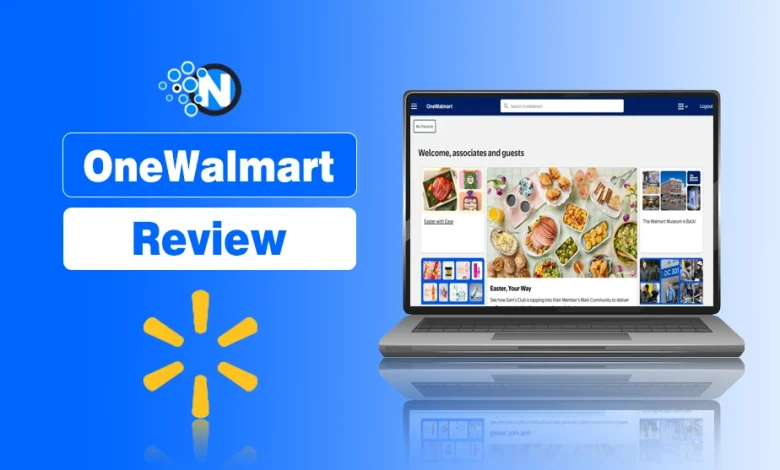
OneWalmart is the central hub for managing almost every aspect of Walmart’s employees.
From checking work schedule and downloading pay stubs to requesting paid time off (PTO), viewing tax documents, and accessing employee benefits, the portal brings all essential work-related resources together in one place.
Previously known as WalmartOne, the platform has evolved into OneWalmart, while the MyWalmart app now provides convenient mobile access to many everyday employee tasks.
In this guide, I have provided everything about OneWalmart along with its uses and employee login guide.
What Is OneWalmart?
OneWalmart is Walmart’s official online employee portal designed to help associates access important work-related information and HR services from a single platform.
It allows eligible Walmart employees to manage:
- Schedules
- Payroll information
- Benefits
- Tax documents
- Career resources
- Company announcements
Unlike Walmart.com, which is built for customers, OneWalmart is specific HR software and is exclusively intended for Walmart associates and authorized personnel.
What Is OneWalmart App?
The MyWalmart app is Walmart’s official mobile application designed for associates who want quick access to many OneWalmart services from their smartphones.
Instead of opening the employee portal through a browser, associates can use the app to complete common daily tasks while on the go.
Depending on account permissions, the app allows employees to:
- View work schedules
- Check upcoming shifts
- Access pay information
- Receive company notifications
- Manage time-off requests
- Stay updated with workplace announcements
- Complete selected employee tasks remotely
The app is available for both Android and iOS devices through their respective app stores. Employees should always download the official application to protect their account and personal information.
However, customers won’t get access to services like Walmart Pickup or delivery through this employee portal.
How To Access OneWalmart Employee Portal?
You can access the OneWalmart employee portal from any supported web browser by following these steps:
- Visit the official OneWalmart employee portal.
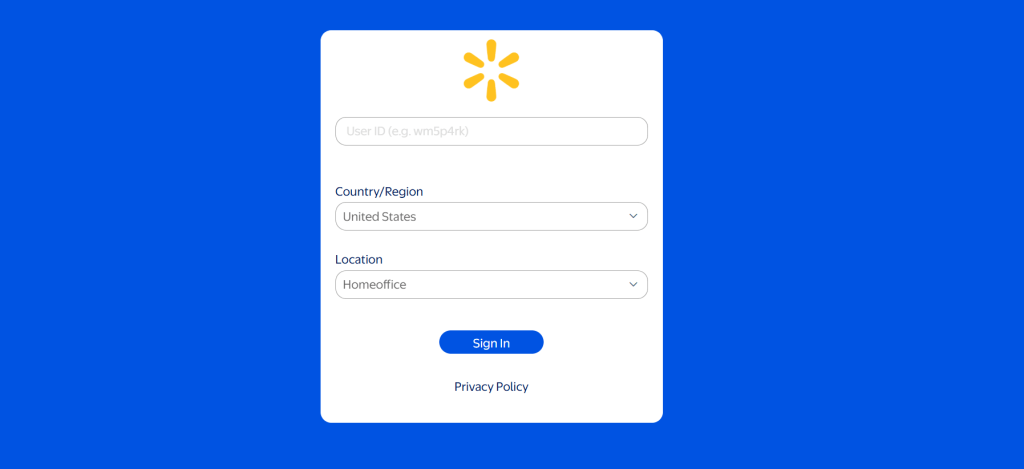
- Select the Sign In option.
- Enter your Walmart User ID.
- Type your password.
- Complete the Two-Step Verification process if prompted.
- After successful verification, you’ll be redirected to your employee dashboard.
From the dashboard, you can access payroll, schedules, attendance, benefits, tax documents, training resources, and other employee services.
OneWalmart Employee Login Requirement
Before signing in, make sure you have:
- Your Walmart User ID
- Your account password
- Two-Step Verification enabled (if required)
- A stable internet connection
Logging into OneWalmart is a straightforward process once your employee account has been activated.
New employees may need to wait until HR completes account activation before their credentials begin working.
How To See Hourly Pay On OneWalmart?
Employees who want to review their hourly wage can usually find this information within their payroll or compensation details after logging into OneWalmart.
In most cases:
- Sign in to your account.
- Navigate to your payroll or compensation section.
- Open your latest pay information.
- Review your hourly rate, total hours worked, overtime, deductions, and net pay.
If your hourly wage isn’t displayed, your manager or HR department can provide additional clarification.
How To Check Points On OneWalmart?
Attendance points can generally be reviewed through the GTA Portal.
To check your attendance points:
- Sign in to OneWalmart.
- Open the GTA Portal.
- Navigate to your attendance information.
- Review attendance occurrences, approved absences, and any points recorded under your account.
Checking your attendance regularly helps you identify any discrepancies early and request corrections when necessary.
How To Login To OneWalmart At Home?
Many associates access OneWalmart outside the workplace to check schedules, download pay stubs, or request time off.
To log in from home:
- Open the OneWalmart portal using your preferred browser.
- Enter your Walmart login credentials.
- Complete Two-Step Verification.
- Access the services available for your account.
Some internal tools may only be accessible from Walmart’s secure network or require additional authentication depending on company policies.
If you experience login issues at home, first verify your internet connection, browser compatibility, and Two-Step Verification settings before contacting Walmart support.
Who Can Use OneWalmart?
OneWalmart is not a public website. Access is limited to eligible Walmart associates and authorized users.
Depending on your employment status and account permissions, you may be able to use the portal for different purposes.
Generally, the following users can access OneWalmart:
- Active Walmart associates
- Sam’s Club associates
- Corporate employees
- Distribution and fulfillment center associates
- Authorized managers and HR personnel
If you’re a newly hired employee, your HR department typically activates your account before you can successfully sign in. Until your employee information has been added to Walmart’s internal systems, your login credentials may not work.
Similarly, if you have recently transferred stores or changed positions, it may take some time for your account permissions to update across all OneWalmart services.
Can Former Employees Use OneWalmart?
Some former associates may also be able to access limited services, such as retrieving tax documents or payroll information, depending on Walmart’s policies and the availability of their account.
What Can You Do on OneWalmart?
OneWalmart serves as a complete employee self-service portal, allowing associates to complete many HR and payroll tasks without visiting the HR teams and office.
Instead of logging into multiple systems, employees can manage everything from attendance to tax forms through a single account.
Below are the primary tools and services available on OneWalmart.
1. Time & Attendance
Managing work hours is one of the primary reasons associates log into OneWalmart. The platform includes several tools that help employees monitor attendance, review schedules, request leave, and manage time-related records.
- GTA Portal: Check attendance occurrences, points, and approved absences.
- My Time: View work hours, request PTO/PPTO, and manage time-off requests.
- My Schedule: Check upcoming shifts and scheduled workdays.
- PTO & PPTO: Review available balances and submit leave requests.
- Electronic Time Adjustment (ETA): Request corrections for missed punches or incorrect work hours.
I have created a dedicated OneWalmat GTA Portal Login guide from where you can find all the information.
2. Payroll & Tax Documents
Another major reason employees access OneWalmart is to manage payroll and tax information. Instead of requesting documents from HR, associates can securely retrieve most payroll records online.
- Paystub: View or download current and previous pay stubs.
- Direct Deposit: Review or update your payroll banking information.
- W-2 Forms: Access annual tax documents during tax season.
- Tax Center: Find tax-related forms, notifications, and payroll resources.
3. HR & Benefits
OneWalmart also simplifies access to Walmart’s employee benefits and HR services.
Instead of contacting multiple departments, associates can review available benefits, submit requests, and access employment-related information directly through the portal.
- Leave of Absence (LOA): Review leave options and track leave requests.
- Health Benefits: Access medical, dental, vision, and wellness information.
- Retirement Plans: View retirement savings and contribution details.
- Employee Discounts: Explore exclusive Walmart associate discounts and partner offers.
However, if you are using the Walmart Affiliate Program, you won’t get these benefits and perks.
4. Career & Learning
OneWalmart isn’t just designed for payroll and scheduling. It also supports career development. Employees interested in growing within Walmart can use the portal to explore internal opportunities, complete training programs, and stay updated on company news.
- Career Opportunities: Search and apply for internal job openings.
- Training Resources: Access learning materials and required training programs.
- Company Announcements: Stay updated with Walmart news, policy changes, and workplace updates.
5. Security & Account Management
Protecting employee information is one of OneWalmart’s highest priorities. The portal includes several account management tools that help associates keep their information secure while maintaining uninterrupted access.
- 2-Step Verification: Protect your account with an additional security layer.
- Password Reset: Recover or change your login password when needed.
- Profile Management: Update contact details, banking information, and account preferences.
Is OneWalmart Down?
Occasionally, employees may be unable to access OneWalmart due to scheduled maintenance, temporary server issues, browser problems, or internet connectivity issues.
Before assuming the portal is unavailable, try these troubleshooting steps:
- Refresh the webpage.
- Check your internet connection.
- Clear your browser’s cache and cookies.
- Try using a different browser or device.
- Verify your login credentials.
- Complete Two-Step Verification correctly.
- Wait a few minutes and try again if maintenance is underway.
If the problem persists after troubleshooting, contact your manager, HR representative, or Walmart’s employee support team for further assistance.
Final Thoughts
OneWalmart is much more than an employee login portal. It is Walmart’s central digital workplace where associates can manage schedules, attendance, payroll, tax documents, benefits, career resources, and company communications from a single secure platform.
Whether you are checking your pay stub, downloading your W-2, requesting PTO, monitoring attendance through the GTA Portal, or reviewing your upcoming schedule, OneWalmart simplifies routine employment tasks and reduces the need to visit HR for everyday requests.
People Also Ask
Why is OneWalmart not working?
OneWalmart may not work due to server maintenance, incorrect login credentials, browser issues, or incomplete Two-Step Verification.
How do I access OneWalmart from home?
You can access OneWalmart from home by logging into the official employee portal with your Walmart credentials and completing Two-Step Verification.
How do I access OneWalmart app login?
Download the official MyWalmart app, sign in with your Walmart User ID and password, and complete the required verification.
What is OneWalmart employee login?
OneWalmart employee login is the secure sign-in process that gives eligible Walmart associates access to work-related tools and services.
What is OneWalmart W-2?
OneWalmart W-2 is the electronic tax form that eligible associates can download from the employee portal for income tax filing.