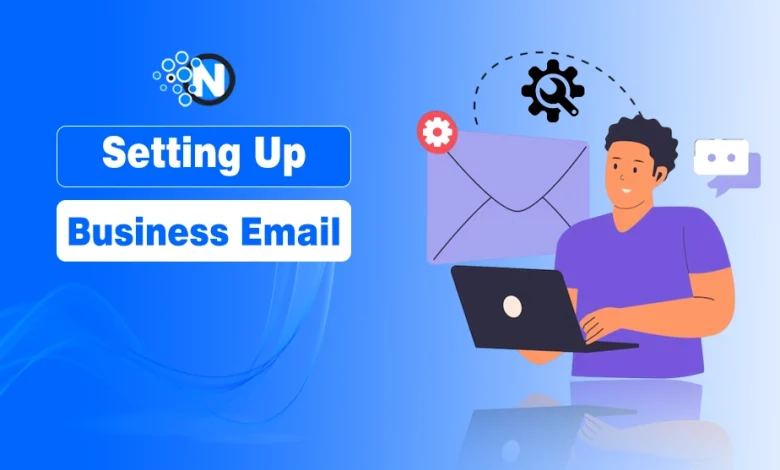
Setting up Business Email: A Guide for Digital Marketers

If you’re a digital marketer, you already know how much first impressions matter. Whether you’re pitching a client, running outreach campaigns, or managing brand communications, your email address is often the very first touchpoint. Around 62.86% of professionals use email for business communication, according to SpaceShip.
Client communications, campaign reporting, outreach sequences and team collaboration all flow through your inbox. Yet many marketers, particularly freelancers and agency founders, still operate from Gmail addresses that undermine their professional credibility before a single campaign launches.
This blog post will walk through how to set up a business email the right way.
Why Marketers Need Business Email Infrastructure
Your business email address appears everywhere in your professional life. Pitch decks, proposals, campaign reports, client communications and networking all display that address prominently. Using firstname.lastname@gmail.com whilst telling clients they need professional branding creates an obvious disconnect.
Beyond appearances, digital marketers face specific challenges around email deliverability that make professional email essential rather than optional. When you’re running outreach campaigns, A/B testing email sequences or sending client reports, you need to ensure messages actually reach inboxes rather than spam folders.
Cold outreach has become increasingly sophisticated, with research on sales outreach by email showing how proper infrastructure affects deliverability rates dramatically. Free email services simply cannot provide the authentication and reputation management that successful email marketing requires.
Deliverability is Key (literally)
Digital marketers understand that even brilliant campaigns fail if emails don’t reach their audience. Spam filters have become increasingly aggressive, and they treat emails from generic free providers with more suspicion than those from authenticated business domains.
Professional business email services handle technical authentication automatically. SPF records, DKIM signatures and DMARC policies might sound like technical jargon, but they’re what determines whether your carefully crafted messages reach clients or disappear into spam folders.
When you’re pitching new business, following up on proposals or sending time-sensitive campaign updates, deliverability problems cost you opportunities and damage your reputation. Clients don’t distinguish between “my email ended up in spam” and “this person is disorganised.” They just know they didn’t receive your message when they needed it.
Building Sender Reputation
Email service providers track sender reputation based on engagement rates, spam complaints and authentication. Personal Gmail accounts share reputation across millions of users, meaning your deliverability can be affected by completely unrelated spam campaigns.
Business email on your own domain builds individual reputation based solely on your sending patterns. Good practices result in better deliverability over time. You’re not fighting against the collective reputation of everyone else using Gmail.
This matters particularly for marketers who send regular newsletters, campaign updates or client reports. Each successful delivery improves your sender reputation, creating a virtuous cycle where your emails consistently reach inboxes rather than getting filtered.
Team Collaboration and Client Management
As your marketing business grows, you need a proper infrastructure for team collaboration. Shared inboxes, role-based addresses like hello@youragency.com or campaigns@youragency.com, and the ability to grant and revoke access as team members change are features that free email service providers don’t typically offer.
Client confidentiality matters too. Marketing campaigns often involve sensitive information like launch dates, pricing strategies or unreleased products. Using consumer email services that scan messages for advertising purposes potentially exposes client information that isn’t yours to share.
Business email services provide proper encryption and access controls that protect both your clients and your reputation. When clients ask about your data security practices, being able to point to proper infrastructure rather than admitting you use Gmail demonstrates professional standards.
Professional Credibility in Competitive Markets
Digital marketing is crowded, and small details distinguish professional operations from side hustles. When competing for clients against established agencies, having a proper business email infrastructure demonstrates that you’re serious and established.
This becomes particularly important when working with corporate clients or larger businesses that have their own IT and security requirements. They expect vendors to maintain professional standards around data security and communications infrastructure.
Your email domain also reinforces brand recognition. Every message you send, every campaign report you deliver, and every client interaction displays your business name rather than Gmail’s branding. This consistent exposure builds familiarity and professional association over time.
Setting Up Business Email
Setting up business email doesn’t require technical expertise or significant time investment. Most business email providers offer migration tools that transfer your existing messages and contacts automatically. The entire process typically takes less than an hour of focused attention.
Start by choosing a domain name if you don’t already have one. Most business email services include domain registration, or you can use an existing website domain. Set up your primary email address, configure forwarding from your old address temporarily, and begin using the new address for all professional communications.
Update your email signature, LinkedIn profile, website contact information and any marketing materials. Inform key clients and contacts about the change. Within a few weeks, your new professional address becomes your primary point of contact, and the old Gmail gradually phases out.
Digital marketers sell expertise in brand positioning, professional presence and effective communication. Your email infrastructure should reflect those same values rather than undermining them with consumer-grade tools that signal amateur operation.
Final Thoughts
Setting up a business email is not only a technical task, but a preliminary one in establishing your online marketing presence. When it is done correctly, you will have superior deliverability, improved branding, and easier communication with customers and partners. And when your business email is prepared, you are now in a good position to launch high-impact campaign with confidence.