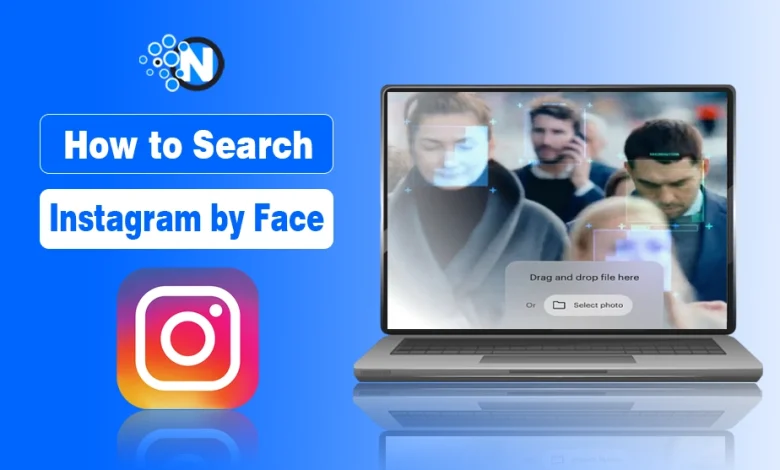
- Instagram doesn’t currently offer a built-in search by face feature.
- Facial recognition tools can provide more accurate social media matches on Instagram.
- Face search tools can help detect fake accounts or stolen photos.
- Managing your digital footprint reduces the risk of misuse online.
- These tools can help reconnect with people or verify online identities.
Instagram is huge and the most popular social media platform. Billions of users post everything from golden hour beach photos to homemade snickerdoodles. The problem is, finding a specific person you want to know more about on Instagram isn’t exactly easy.
Over the past few years, I’ve written about several topics related to online identity, people search tools, and digital privacy, including how cybercriminals exploit personal data and how people find others on social media through publicly available information. These topics all connect to one big reality: once something appears online, it can often be traced back using the right tools.
But when you want to reconnect with an old flame on Instagram or make sure no one is stealing your content on the platform, you may need to search Instagram by face.
In this blog post, I have listed some tricks, tips, and tools to help you find the Instagram profile you need via image search.
How Insta Facial Recognition & Image Search Technology Works?
It helps to understand how a reverse image search on Instagram works. The trick is matching algorithms. The right tools will track the colors and textures, edges and shapes, lighting patterns, and spatial relationships in a photo and then compare that to the information in other images.
That type of search is not enough. When you want to find someone’s social media profile by picture on Instagram, you need facial recognition. These tools expand the digital fingerprint by analyzing specific information in a clearly recognizable face, like the distance between the blue eyes of a hockey player you fancy or the positions of the nose, jawline, and facial symmetry of someone in a group photo you want to hit up in their DMs.
With advanced social media facial recognition like face2Social, a person can appear in multiple pictures on Instagram with different hairstyles or camera angles, and the algorithm will return more results for your efforts.
Interestingly, this type of technology overlaps with many people search tools that analyze publicly available data across the web. If you’re curious about how these platforms work and how they can help detect scams or impersonators online, you should also learn how people search engines help users avoid online scams.

Traditional & Free Ways to Search Instagram by Face
There are many ways to track someone’s Instagram profile using an image. Each one has its advantages and holdups, including:
- Reverse Image Search: You can use a tool like Google Reverse Image Search or TinEye. You upload a picture of the person you’re looking for, and receive results. The trouble is that the results could come from anywhere online, not just Instagram, leading to a lot of duplicate items to look through.
- Manual Image Search: You can also look for similarities in the image you have to start with and compare that to other images on Instagram. There may be a location in the image’s background you can search for, or an activity that inspires a hashtag you can use.
- Using Social Media Face Recognition: The best way to find someone on social media by picture is through facial recognition. These tools specifically dig through social media platforms like Instagram, matching facial features to find the person you want.
If you want to save hours of manually tracking down a specific profile or learn more about a person standing next to a celebrity in an image, your best bet is to search Instagram by face using a modern search tool.
How These Tools Improve Results?
Having a photo of someone dressed in a suit and tie who looks like a finance guy in California is likely to generate a ton of results. What you want is something more specific, like identifying the same person across multiple Instagram posts or detecting a face that is in a cropped or edited image.
The best way to get those results is to use the clearest image you can. Try to find something without the person wearing a hat or sunglasses. The more they look “face forward” in the photo, the better.
Next, crop the image so the face is the primary focus. If you can remove any backgrounds, other people, pets, or artwork featuring faces, all the better. Once you upload your photo, a platform like Face2Social will analyze public Instagram posts, profiles, and activity to generate accurate results.
The platform matches facial structures, angles, and patterns so you can authenticate an image from a dating profile or ensure no one else is using your content on their Instagram page.
What to Do If Someone Is Using Your Photos on Instagram?
Unless you permit someone else to use your content, it is a violation of Instagram’s terms of service for fake accounts to masquerade as you. Finding someone posing as you or using your recent vacation bikini pic for their swimwear line can feel unsettling, at best. Luckily, there are actions you can take to remedy the situation.
After you’ve found your image on a fake account using the search Instagram by face tool, be sure to:
- Confirm the image is yours or was allowed for a specific user
- Document the fake account with screenshots, profile URL, and any images of you they’re using
- Report the account to Instagram with all your evidence
- Monitor that account for the future to ensure they don’t do it again
Protecting your images online is also closely connected to managing your digital footprint. If too much personal data is publicly available, it becomes easier for scammers or impersonators to misuse your identity. You should follow the basic precautions to not expose your digital footprint to cybercriminals.
Having a way to reverse image search Instagram, not the entire web, is a reliable way to ensure no one takes a photo of you with your newborn or at a business event and uses it to promote their politics, business, or personal beliefs to get likes and follows.
The Smart Way to Find Instagram Profiles Using Photos
Instagram might have amazing search tools if you know the account, profile name, tag, or link, but sometimes all that is available is an image from a party or yearbook. Using a reverse image search on Instagram allows you to track digital footprints or find someone’s social media by nothing more than a picture.
Having a reverse image tool on your side ensures you can reconnect with loved ones, authenticate online dating profiles, or remove those accounts pretending to be you. That way, you stay safer and have more genuine Insta interactions than ever before.
FAQs
No. There is currently no “in-app” way to search Instagram using facial recognition alone. You typically need a profile name, handle, or other descriptors, such as location or hashtags.
No, popular search tools use only public information. It cannot access your private Instagram account.
A tool like Face2Social lets you search for facial recognition results across multiple social media platforms, including Instagram, Facebook, TikTok, and X.