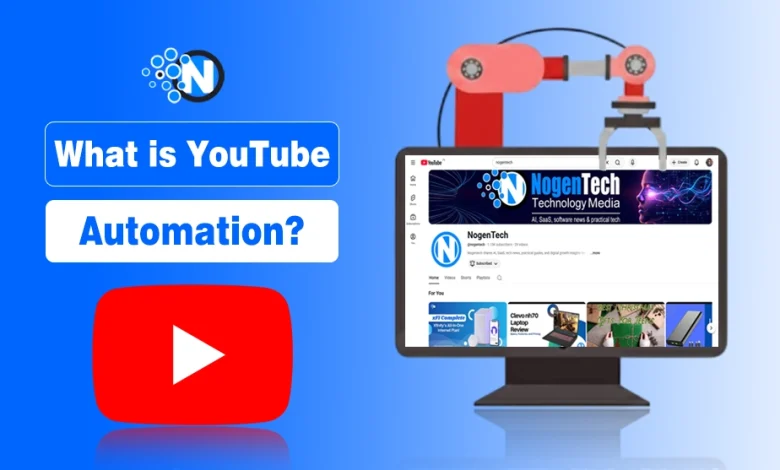
YouTube automation is a method I’ve seen top creators use to streamline video production, manage uploads, and grow a YouTube channel fast with AI tools, software, and structured workflows.
It allows creators to automate repetitive tasks like scripting, video editing, narration, captions, scheduling, and analytics tracking, saving time while maintaining consistent performance on YouTube.
In this guide, I will walk you through how YouTube automation works, the best tools to implement it, methods to automate content creation, real-life examples of successful automated YouTube channels, monetization strategies, and the key risks and policies you must follow.
What is meant by YouTube Automation?
YouTube automation involves using software, AI tools, and structured workflows to manage and grow a YouTube channel efficiently without handling every task manually.
In this system, the channel owner focuses on strategy and oversight, while automation handles repetitive operations such as content creation, publishing, and analytics.
This approach allows creators to maintain consistent uploads, improve workflow efficiency, and scale channels while complying with YouTube’s policies and content standards.
How Does YouTube Automation Work?
YouTube automation functions through a combination of automated processes, AI-assisted tools, and scheduled workflows that execute routine channel operations.
These systems can perform tasks including script generation, video editing, captioning, thumbnail creation, uploading, and analytics tracking.
Automation integrates with YouTube’s Dashboard and YouTube Studio or third-party platforms to carry out these actions with minimal manual input. Creators often set up systems that automatically schedule content, monitor engagement, and gather performance metrics to guide future uploads.
Key steps in automation include:
- Workflow execution: Sequences handle file processing, video uploads, and metadata updates.
- Scheduled publishing: Videos and playlists are released at pre-determined times.
- Performance monitoring: Viewer data and engagement metrics inform content planning.
What Tasks Can Be Automated on a YouTube Channel?
Automation can handle a wide range of tasks on a YouTube channel, including repetitive production, enhancement, and management functions.
Content Production and Upload:
- Scheduled video publishing allows multiple videos to be uploaded automatically.
- Batch uploads streamline releasing several videos at once.
Content Enhancement:
- Automatic captions and subtitles improve accessibility for viewers.
- Thumbnail creation uses templates or design tools to maintain visual consistency.
- AI-generated voiceovers or text-to-speech software handle narration efficiently.
Channel Management:
- Comment moderation and response patterns filter spam and apply automated replies.
- Social sharing automation posts new content across other platforms.
- Analytics tracking collects performance data for scheduling and strategy decisions.
Automation also supports metadata management, including descriptions, tags, and playlist organization, ensuring content remains structured and searchable.
How Is Automated Management Different from Manual Management?
The distinction between automated and manual management lies in task execution, consistency, and creator involvement:
Execution Speed and Scale:
- Automated management completes repetitive tasks rapidly using workflows and software.
- Manual management requires the creator to perform each task individually, which is slower.
Consistency:
- Automation ensures videos are published on the content schedule without daily intervention.
- Manual management can result in irregular uploads due to time limitations.
Control and Personalization:
- Manual management allows full control over every detail and direct interaction with viewers.
- Automation reduces hands-on control and can make interactions less personal if comment responses are handled automatically.
Resource Allocation:
- Automation frees creators to focus on strategy, analytics, and creative planning.
- Manual management consumes more time for editing, publishing, and routine maintenance.
Many successful channels combine both approaches, keeping strategic decisions and personal engagement manual, while delegating repetitive production, publishing, and analytics tasks to automation systems.
Tools and Software for YouTube Automation
YouTube automation depends on a combination of specialized software, scheduling platforms, video editing applications, and AI-based production tools to manage repetitive tasks and streamline channel operations.
These tools help creators maintain consistent uploads, optimize content, improve visuals, and monitor performance more efficiently than manual processes. Automation also allows creators to focus on strategic planning and creative decisions while reducing time spent on routine tasks.
How Do TubeBuddy and VidIQ Help Automate Tasks?
TubeBuddy simplifies channel management and optimization by performing bulk operations that would otherwise require manual input.
It allows creators to update multiple video descriptions simultaneously, organize playlists, test thumbnail and title variations, and standardize metadata with templates. TubeBuddy also provides automated comment responses and productivity features that reduce repetitive tasks.
VidIQ enhances automation by offering a performance monitoring dashboard that tracks viewer engagement, suggests improvements for titles and descriptions, and analyzes trends.
It provides automated insights into competitors’ activity and channel analytics, helping creators make informed decisions about content scheduling and optimization. Both tools reduce manual effort while maintaining strategic control over the channel.
Can Zapier, IFTTT, Hootsuite, or Buffer Schedule Uploads Automatically?
Zapier and IFTTT act as automation connectors, linking yt with other apps to trigger predefined actions.
For example, they can automatically upload videos from content creation platforms or share new uploads on social media platforms. Creators set rules once, and these systems execute repetitive tasks such as posting links or publishing videos at specific times.
Hootsuite and Buffer focus on cross-platform scheduling, enabling creators to plan video releases and social promotion from one interface.
They queue videos and metadata for automatic publishing while tracking engagement metrics to refine future schedules. These tools handle repetitive publishing and promotion tasks, freeing creators to focus on content strategy.
How Can Canva, Descript, or Adobe Premiere Pro Support Automation?
Canva automates visual content creation by providing templates and AI-assisted design tools for thumbnails, banners, and channel branding. This ensures visual consistency without repeated manual design effort.
Descript automates video and audio editing through transcript-based workflows. Creators can remove silences, rearrange content by editing text, generate captions, and produce voiceovers efficiently.
Adobe Premiere Pro offers AI-powered tools for scene detection, audio cleanup, captioning, and motion tracking. These functions accelerate post-production while maintaining high-quality video editing, reducing the manual effort required to produce polished videos.
What AI Tools Can Create Automated Video Content?
AI-powered platforms automate video production from text or existing recordings.
- Pictory converts scripts or long videos into complete content with automatic scene selection, narration, and editing.
- InVideo transforms written content into videos, adding voiceovers, transitions, and visual elements automatically.
- Lumen5 generates videos from text, matching images and clips to the script efficiently.
- AI video assistants analyze footage to extract highlights, create short clips, and prepare content for additional channels.
Automation of YouTube in Content Creation
Automation in content creation uses AI tools and structured workflows to produce, enhance, and prepare YouTube videos efficiently. These systems manage repetitive tasks such as script development, narration, captioning, batch video uploads, and media sourcing.
By streamlining these processes, creators can maintain consistent publishing schedules, save time, and ensure high-quality video editing outputs while focusing on strategy and creative direction.
Can Text‑to‑Speech Software Automate Video Narration?
Text-to-speech software transforms written scripts into natural-sounding audio narrations. Many automation workflows rely on background audio and narration, which makes tools that download YouTube MP3 files useful for extracting licensed audio or voice tracks for video editing.
This automation accelerates content production, especially for faceless or high-frequency channels, by linking scripts directly to audio files ready for video assembly. It ensures consistent narration quality and reduces the time required for human voice recording.
How Does Automated Captioning Improve Videos?
Automated captioning generates time-aligned transcripts from spoken audio, improving accessibility and viewer understanding. Captions help audiences with hearing impairments or non-native language proficiency follow the content.
Caption text enables YouTube’s indexing system to better interpret video content, enhancing reach and engagement. Automation produces accurate subtitles quickly, reducing manual transcription time while maintaining global accessibility standards.
How Do Batch Uploads and Content Templates Streamline Production?
Batch uploads allow multiple videos to be scheduled for publishing in advance, maintaining a consistent release pattern without daily manual effort.
Content templates standardize video structure, descriptions, and visuals, ensuring uniform quality across multiple uploads. Combined, batch uploads and templates reduce repetitive setup tasks, speed up production, and maintain format consistency across a channel.
What Role Do Stock Footage and Royalty-Free Music Libraries Play?
Stock footage and royalty-free music libraries like YouTube Audio Library provide pre-made visuals and audio tracks for videos, eliminating the need to produce every asset manually. Stock clips supply background visuals and B-roll for storytelling, explainers, or top-list content.
Royalty-free music ensures videos have appropriate background audio without copyright restrictions. These resources integrate seamlessly into automated workflows, allowing creators to maintain high production quality efficiently while avoiding repeated asset creation.

Monetization and Business Impact By Automation
Monetization and business impact describe how a YouTube automation channel earns revenue and contributes to the creator’s income streams.
Automated channels use a mix of digital advertising, partnerships, niche market strategies, and other revenue sources to generate income with minimal ongoing manual production.
Can Automated Channels Earn Passive Income?
Automated channels can earn passive income by generating revenue through multiple methods once content is in place and performing well.
A channel that meets YouTube Partner Program requirements, such as reaching 8,000 qualified watch hours in the last 365 days or 20 million qualified Shorts views in the last 90 days, can start to earn Google AdSense revenue from ads shown on videos. In many niches, this ad income contributes a steady base of earnings, particularly when videos continue to attract viewers over time.
In addition to advertising:
- Affiliate marketing supports revenue by placing product or service recommendations in video descriptions and earning a commission on resulting sales.
- Sponsorships provide payments from brands that want their products featured in content once the channel demonstrates audience reach.
- Digital products such as e‑books or online courses broaden income by selling directly to engaged viewers.
- Merchandise and channel memberships create additional recurring income from fans who want exclusive content or branded products.
How Does Automation Affect AdSense Revenue and Monetization?
YouTube automation influences AdSense revenue by enabling frequent content publishing, which increases overall watch time and the number of monetizable impressions.
When videos attract consistent views, automated channels can accumulate revenue from ad plays at a scale that might be difficult to achieve manually. Channels in higher‑value niches, such as personal finance, technology tutorials, and educational content, often command higher earnings per thousand views (RPM), boosting overall ad revenue.
Are Niche Channels Better Suited for Automation Than Personal Vlogs?
Niche channels are generally more compatible with YouTube automation than personal vlogs because they focus on topics that can be explained with structured formats, voice‑over narration, and stock visuals rather than relying on personal storytelling or on‑camera presence.
Niches such as personal finance, technology, health tips, motivational content, or educational explainers often allow creators to repurpose widely available media, use automated script workflows, and maintain consistent publishing rhythms that appeal to both viewers and advertisers.
Niche automation also tends to benefit from predictable audience interests, helping channels generate ongoing views from evergreen topics that do not depend on creator personality or daily updates. In contrast, personal vlog formats often thrive on authenticity, unique experiences, and direct interaction with viewers, elements that are difficult to automate without losing the personal connection that defines the style.
Overall, niche content formats support scalable, repeatable production workflows that suit automated strategies while enabling diversified monetization through advertising, affiliate partnerships, and sponsored content collaborations.
Real‑Life Examples of YouTube Automation
Real‑life examples of YouTube automation channels demonstrate how creators use AI tools, structured workflows, stock media, and scheduling systems to produce content efficiently.
These channels often avoid on-camera appearances and rely on list-style videos, educational summaries, and niche topics to attract consistent views. Automation enables regular publishing, high-volume content output, and scalable channel growth.
Which Famous Channels Use Automation Effectively?
WatchMojo.com uses structured list videos on movies, games, and entertainment by combining professional voiceovers, curated visuals, and automated editing pipelines to maintain frequent uploads.
Voyager focuses on space and science content by assembling animations, stock clips, and AI-generated narration within an automated workflow to produce videos regularly.
Body Hub delivers fitness and workout routines using animated sequences and prepared scripts, reducing the need for personalized filming.
Motiversity publishes motivational stories with AI narration, stock footage, and scheduled uploads, creating continuous content without direct recording.
These channels illustrate how faceless video content, templated production, and automated scheduling can generate large audiences while reducing manual effort.
How Do Channels Like “Stories to Remember” Implement Automation?
Stories to Remember has 144K subscribers as of 2026 and uses AI tools to create animated story videos with minimal human work. Stories to Remember generates scripts, produces character animations, applies AI voice narration, and schedules uploads automatically to maintain consistent publishing.

Stories to Remember achieves high video output and strong yearly revenue through automated production and large-scale viewing.
This automation model increases audience reach and advertising income without on-camera filming, while creators still monitor content quality and originality.
Automation Risks and YouTube Policies
Using YouTube automation can streamline production but introduces risks related to content quality, policy compliance, and monetization.
YouTube’s rules help creators avoid strikes, demonetization, and channel restrictions while maintaining consistent publishing.
What Are the Risks of Using Automation on YouTube?
Automation risks include artificially inflating views, likes, or subscribers, which violates YouTube’s Terms of Service and can lead to channel suspension.
Channels that publish repetitive, low-quality, or non-original videos may face reduced visibility, demonetization, or strikes for failing to meet platform standards.
In fact, repetitive or spammy automated content often drives viewers away, leading many users to block your channel from their recommendations to keep their feeds clean.
Can Automation Cause Copyright Issues or Demonetization?
Copyright issues arise when automated videos include protected music, video, or images without permission. YouTube’s Content ID detects such material, leading to claims, revenue redirection, or video blocks.
Repeated violations result in strikes, and three strikes in 90 days can delete a channel. Automation can also cause demonetization if videos rely heavily on stock content or AI narration without significant creative input.
How Does YouTube Detect Automated or Bot Behavior?
YouTube’s Framework detection systems use machine learning and YT algorithmic reviews to flag abnormal patterns such as repetitive text, identical uploads, rapid posting, or artificial engagement.
These systems assess metadata, view behavior, thumbnails, and upload consistency to identify bot-like activity and reduce visibility, demonetize, or remove violating content.
How Can Creators Stay Compliant with YouTube’s TOS and Guidelines?
Creators stay compliant by adding personal input to AI-generated scripts, verifying licenses for all media, avoiding fake engagement tools, labeling AI content when necessary, and maintaining high-quality, unique videos.
Following these practices preserves monetization, avoids strikes, and ensures long-term channel growth.
Final Thoughts
YouTube automation enables creators to produce videos efficiently, maintain consistent publishing, and scale channels without performing repetitive manual tasks. AI content generation, automated editing, scheduling software, and stock media help channels earn revenue from ads, sponsorships, and affiliate programs with minimal ongoing input.
Automation carries risks such as copyright violations, demonetization, and policy breaches, making adherence to YouTube’s guidelines essential. Channels that combine automation with original, high-quality content and strategic oversight achieve sustainable growth, maintain viewer engagement, and preserve monetization opportunities.
FAQs: YouTube Automation
Is YouTube automation legal?
YouTube automation is legal when it follows platform guidelines, avoids artificial engagement, and uses licensed content.
Can automated channels use AI-generated voices?
Yes, automated channels can use AI voices for narration as long as the content remains original and engaging.
Does automation improve YouTube SEO?
Automation can enhance SEO by maintaining consistent uploads, structured metadata, and optimized video scheduling.
Can automation handle comments and community interaction?
Automated tools can moderate or respond to comments, but genuine interaction often requires human input.
How much revenue can automated channels generate?
Revenue depends on niche, audience size, and monetization methods, ranging from hundreds to thousands per month.