What is Vyond AI (GoAnimate)? Login Guide, Animation Maker, Free Download, and App

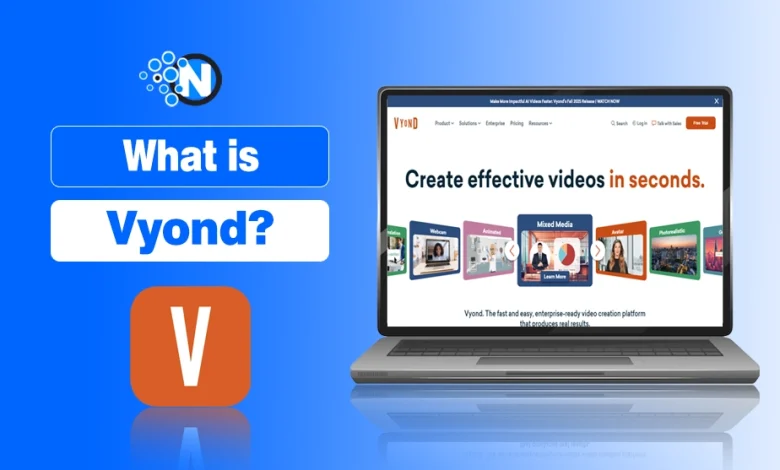
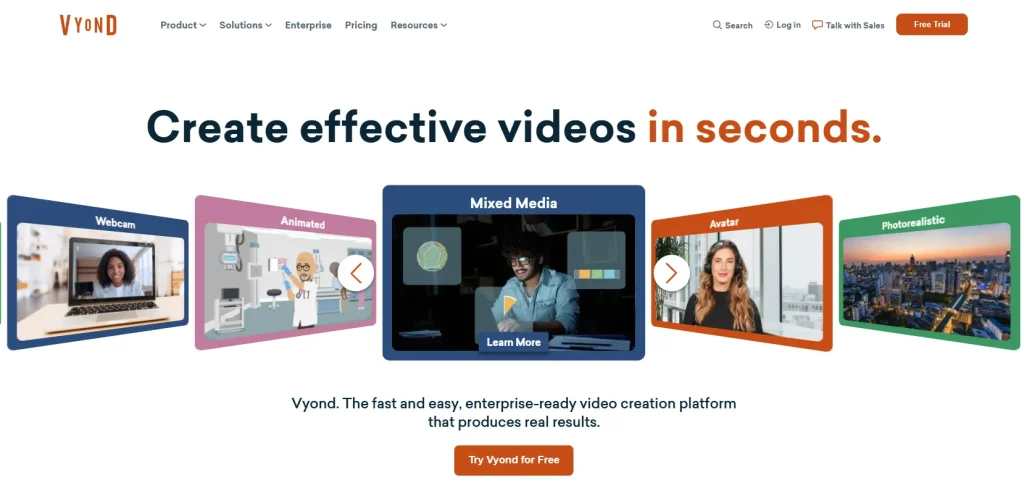
Vyond, previously known as Goanimate (rebranded in 2018), is a cloud-based video creation platform for brands that allows users to turn simple text into engaging animated videos with ease.
Using ready-made Vyond characters, templates, pros, and multiple animation styles, including whiteboard, contemporary, and 2D animation, Vyond removes the need for filming, cameras, or advanced editing skills.
But the question rises here is: why are businesses turning towards video creation tools?
In this guide, you’ll explore Vyond features, how it works, pricing, pros & cons, and why businesses are increasingly using this AI video creation tool to scale communication, reduce costs, and stay competitive in a video-first digital world.
Vyond AI's Top Products
The top products of Vyond AI are:
- Vyond Go: Helps to turn text into video
- Vyond Studio: Drag and drop video editor with capabilities to generate AI videos
- Vyond Mobile: It is the official Vyond app for Android and iOS to create videos on the go.
Vyond Login Guide 2026
Logging in to Vyond AI is quite an easy process. However, if you are facing any issue, I have got you covered here:
- Go to Vyond’s official website.
- Click on Login.
- Choose the login option suitable for you.
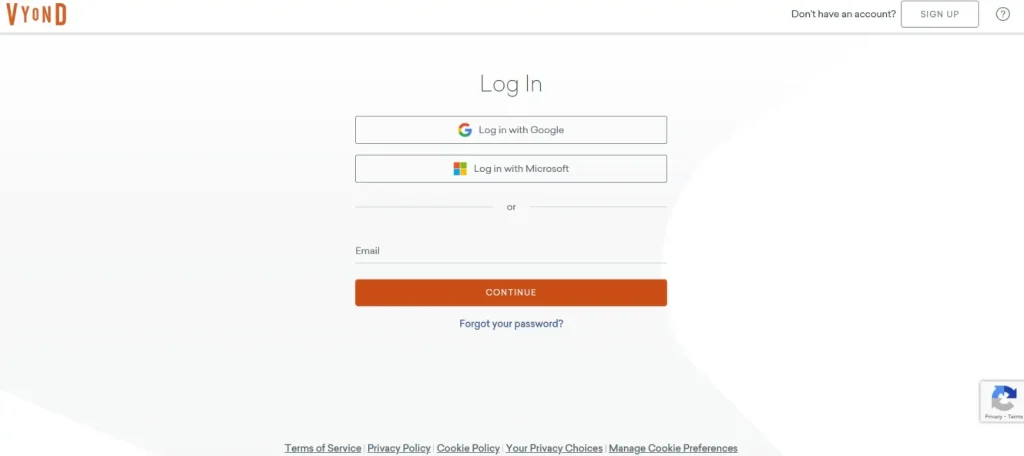
If you don’t already have an account on Vyond, go to the Sign Up page, choose your preferred method, enter your credentials, and verify your account.
Key Features of Vyond AI for Video Generation
Below are some of the key features of Vyond AI:
- Text-to-video automation
- AI avatars and character creator
- Built-in voiceovers
- Fast scene creation and customization
Because of these features, Vyond is widely used for training videos, marketing campaigns, eLearning content, onboarding, and internal communications. This is especially used by teams that need professional videos quickly and at scale to market their business without shooting a video.
How Does Vyond Work?
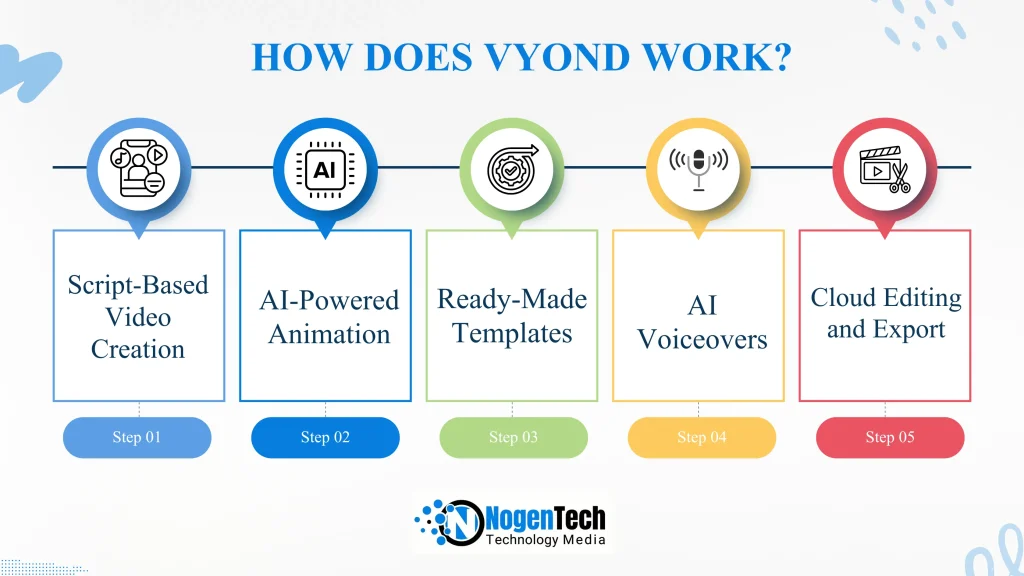
Vyond works without filming by replacing cameras and actors with AI-powered animation, templates, and text-based workflows. Instead of recording footage, businesses create videos by writing scripts and letting the platform generate visuals automatically.
Here’s a simple breakdown of how it works:
- Script-Based Video Creation: You start by writing or pasting a script. Vyond uses AI to understand the text and map it into visual scenes.
- AI-Powered Animation: The platform generates animated scenes using characters, props, and backgrounds that match your message.
- Ready-Made Templates: Pre-built templates help structure videos for marketing, training, onboarding, and eLearning use cases.
- AI Voiceovers: Built-in AI voices add narration without the need for microphones or recording studios.
- Cloud Editing and Export: All edits happen online, which makes it easy to update, brand, and export videos anytime.
Best Practices to Generate High-Quality Videos Using Vyond
- Choose the right content pack for the right scenario.
- Write the exact prompt of what you needed the most.
- Avoid using jargon and buzzwords because your audience may not understand them.
- Pick the right character for the right dialogue.
- Put yourself as an editor in the scene to see what’s working and what’s not.
Example Video That’s Generated by NogenTech
Pros and Cons of Using Vyond for Business in 2026
Pros
- No Filming Required: Create professional videos without cameras, crews, or studios.
- Fast Production: Turn scripts into finished videos in hours instead of days or weeks.
- Affordable Compared to Traditional Video: Lower costs than hiring production teams or external agencies.
- Cloud-Based Workflow: Edit, update, and export videos from anywhere with internet access.
- Brand Customization: Add logos, colors, and fonts to maintain consistent branding.
- AI Tools Included: Built-in text-to-video, AI avatars, and voiceovers simplify workflows.
- Ready Templates: Pre-designed templates help non-designers start quickly.
- Scalable for Multiple Use Cases: Great for marketing, training, onboarding, and internal communications.
Cons
- Animation Style Limits Realism: Animated videos may feel less authentic than live-action footage.
- Creative Constraints: Less flexible than custom filmmaking for storytelling or cinematic quality.
- Subscription Cost: May still be expensive for very small businesses or one-time projects.
- Learning Curve: Takes time for new users to master features and design workflows.
- Voiceovers May Sound Synthetic: AI voices are improving, but can still sound less natural than human narration.
Is Vyond Free?
No, Vyond isn’t a free AI video generator tool. It offers subscription-based pricing, and the features you get depend on the plan you choose. While there isn’t a permanent free tier, Vyond sometimes provides a free trial so you can try the platform before subscribing.
Vyond Pricing Plans
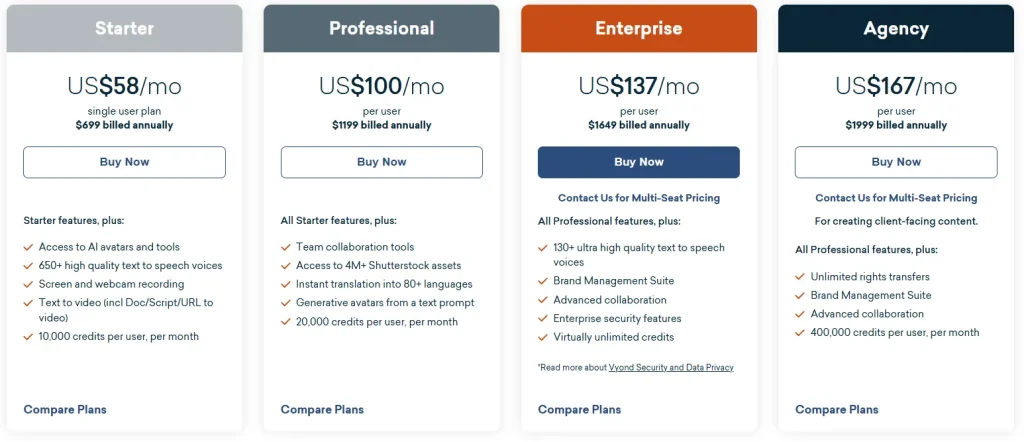
- Starter: $58/month/user
- Professional: $100/month
- Enterprise: $135/month
- Agency: $167/month
Vyond vs Other AI Video Production Tools: Comparison Table
Besides Vyond, different AI video generators, like Animaker, Renderforest, Plotagon, and Videoscribe, are currently trending at the top due to their high-end features. Let’s compare Vyond with these AI video production and animation tools.
| Tools | Best For / Use Case | Key Features | Cons |
|---|---|---|---|
| Vyond | Professional explainer videos, corporate training, e‑learning | Customizable character animation, advanced timeline controls, lip sync, professional templates | More expensive; steeper learning curve than simple tools |
| Animaker | SMBs, creators, marketers, educators | Drag‑and‑drop, large template & asset library, text‑to‑speech, basic AI voice features | Less advanced animation control; free plan limits |
| Renderforest | All‑in‑one video/branding tool for creators and small businesses | Vast template library including videos, intros, logos; drag‑and‑drop editor | Limited deep customization; some templates generic |
| Plotagon | Story‑driven 3D animation creation (characters and dialogue) | 3D characters/scenes, script‑to‑scene workflow, voice recording options | Simpler feature set; fewer professional tools/templates than others |
| VideoScribe | Whiteboard & hand‑drawn style animated videos | Whiteboard animations, extensive image library, AI script/voicegen, scene timeline | Focused on whiteboard style (less general animation); plan feature caps |
Businesses are now paying more attention to AI video generation sites like Vyond and Kling AI for making product videos. This happens because of low cost, no extra efforts, and no technical skills needed while using AI tools.
Is Vyond Worth It for Businesses?
Yes, Vyond is worth it for businesses that prioritize speed, scalability, and consistency in video marketing. It removes the friction of filming, slashes production costs, and lets teams turn ideas into polished videos in hours, not weeks.
For startups, SaaS brands, and marketing teams producing explainers, ads, onboarding, or internal content, Vyond delivers strong ROI through repeatable workflows and easy updates. While it won’t replace cinematic brand films, it excels where clarity, agility, and measurable impact matter most.
People Also Ask
What is Vyond used for?
Vyond is used to create animated videos for business purposes such as marketing, product explainers, training, onboarding, internal communications, and social media.
How do I add text-to-speech in Vyond?
To add text-to-speech in Vyond, select a character or scene, open the audio options, choose Text-to-Speech, type or paste your script, select a voice and language, and apply it. Vyond will automatically sync the voice with the animation.
How long is the Vyond free trial?
Vyond offers a 14-day free trial, allowing users to explore its features, create videos, and test workflows. However, videos exported during the trial include a watermark.
Is Vyond suitable for small businesses and startups?
Absolutely. Vyond is especially valuable for small businesses and startups that need cost-effective, scalable video content without hiring production teams or agencies.