I know exactly how it feels to post a video on TikTok and wonder who is actually watching on the other side of that screen. TikTok is an incredible place for creativity and connection, but it can also feel like a crowded room where you have no idea who has a key to the door.
We often trade a bit of our personal data for the chance to go viral or just to enjoy the endless scroll of the For You Page. However, I believe that you should be the one in total control of your digital boundaries.
In this guide, I will take you through every privacy setting of TikTok you need to know to stay safe while staying social.
Why Your TikTok Privacy Matters?
Every time I open the TikTok app, I am reminded that the platform is built on visibility. The very nature of the algorithm is to show your face and your ideas to people you have never met.
While that is great for growth, it creates a significant trade-off between reaching a global audience and maintaining your personal security. When you post a video, “Public” does not just mean your friends can see it. It means anyone with a link or a search bar can find a piece of your life.
Foundations of TikTok Privacy
TikTok is a data-heavy platform because its success depends on knowing exactly what you like so it can keep you watching. This creates a push and pull between the machine and the individual.
Whether you are a creator or using TikTok for your own brand, if you do not set your own rules, the app will default to the most open settings possible to ensure maximum engagement. Below, I have detailed the foundation of TikTok privacy.
1. The Algorithm vs The Individual
I often think of the TikTok algorithm as a digital mirror. It tracks your watch time, your likes, and your shares to build a profile of your personality.
While it makes for a great viewing experience, it also means the app knows a lot about your habits and your location. Managing your privacy starts with acknowledging that the “For You” page is fueled by the data you provide through your interactions.
2. Public vs. Private Accounts
One of the first big decisions you have to make is whether to stay public or go private.
- A public TikTok account allows anyone to see your videos and follow you without approval. If you are looking to become a creator, this is the standard path.
- However, a private TikTok account acts as a gatekeeper. Only people you approve can follow you and see your content.
I suggest that if you are using the app strictly for personal fun with friends, the private toggle is your best friend.
3. The Privacy Menu
If you are looking for where all the magic happens, you need to find the “Settings and Privacy” section.
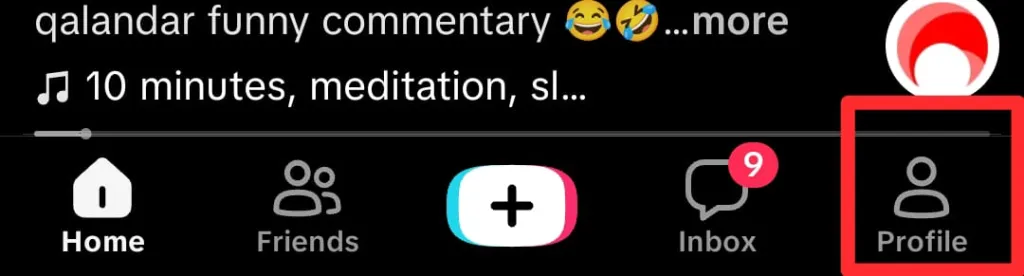
- Go to the Profile present in the bottom right corner.
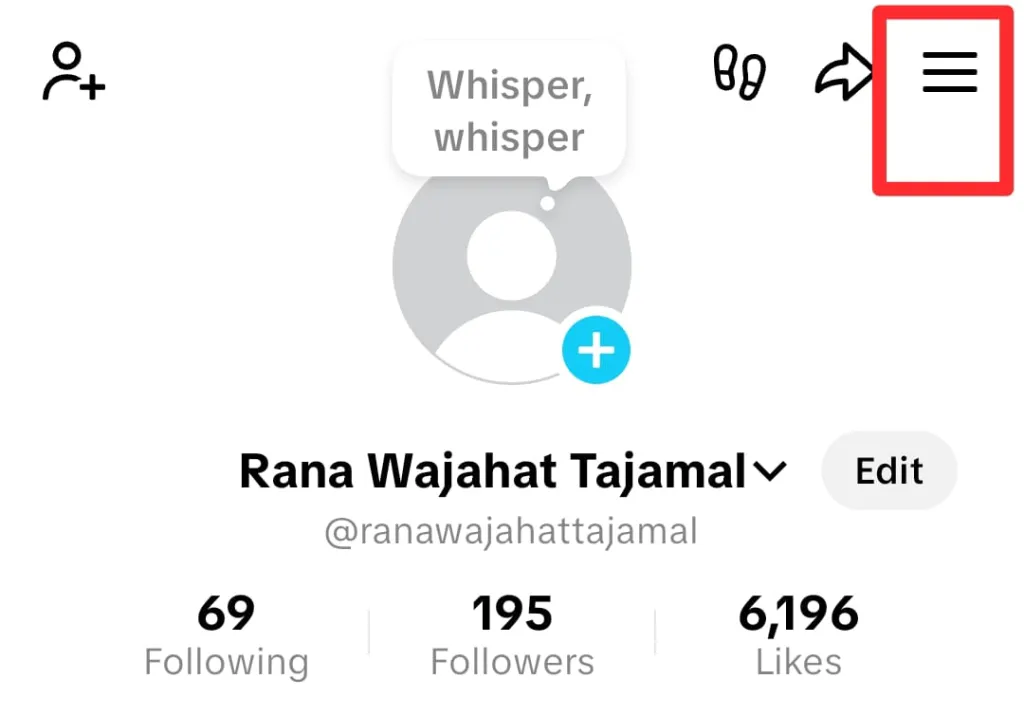
- Tap the three lines on my profile page.
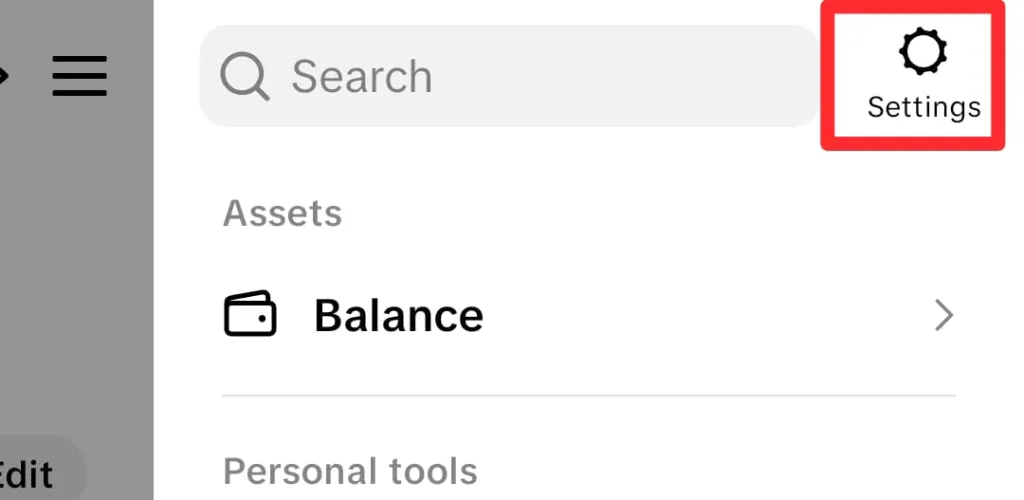
- Now, click the Settings icon.
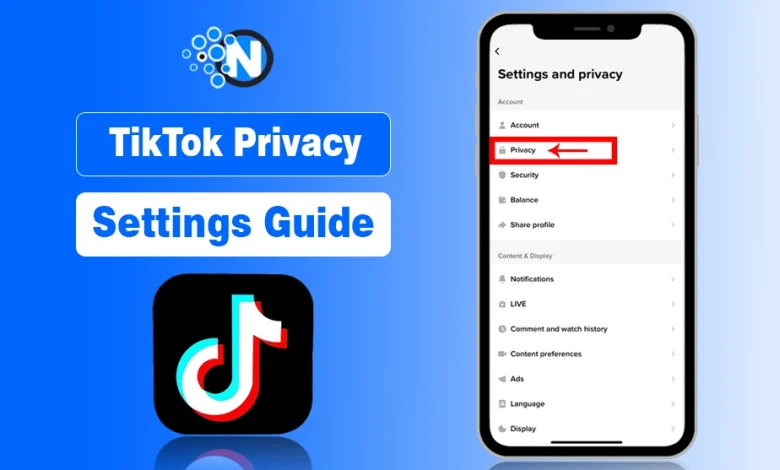
- Select the Privacy option, and it will take you to the “Discoverability” menu at the top.
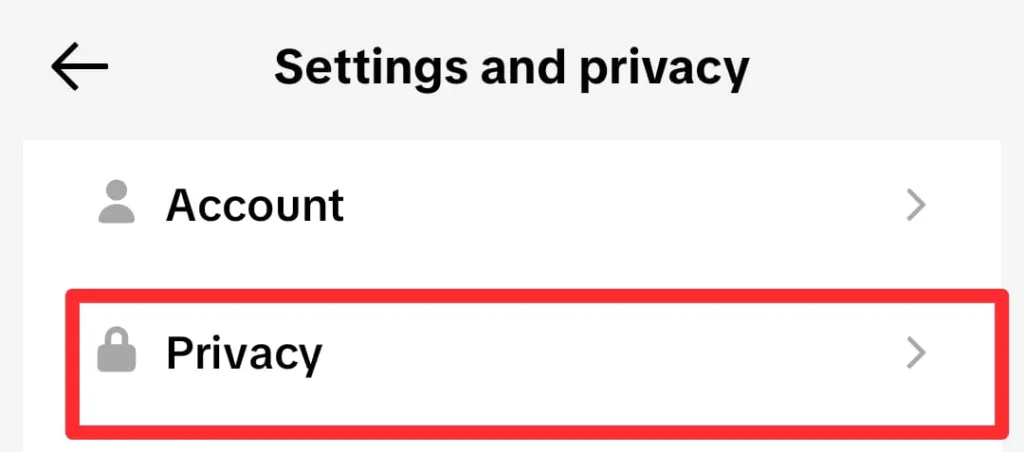
- Toggle the Private Account button to change your account privacy.
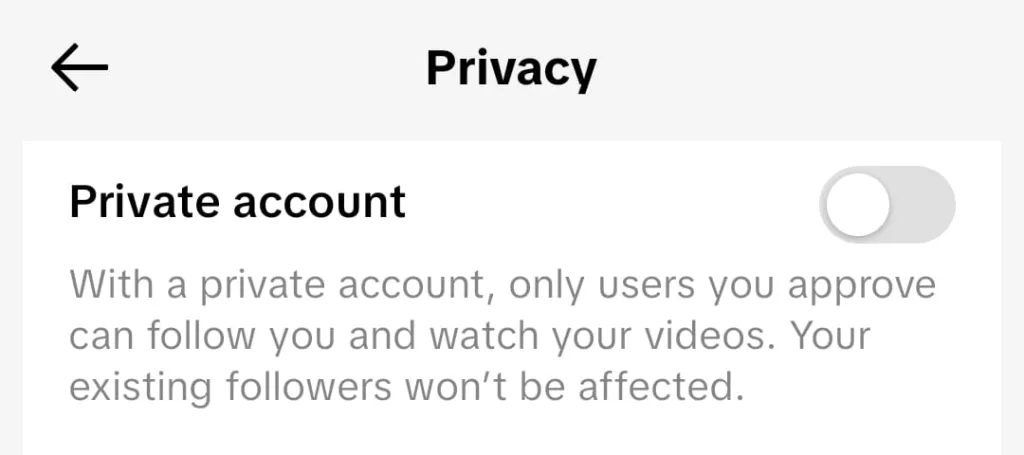
Note: Remember these steps to reach the Privacy settings option, as many of the privacy settings of TikTok will be modified from here.
The Ultimate TikTok Privacy Guide: Manage Your Personal Boundary
Now that we have the basics down, let us get into the heavy lifting of your account management. In this ultimate TikTok privacy section, we will focus on who can find you and how they are allowed to interact with you once they do.
I find that most people are surprised by how many ways TikTok tries to “help” you connect with people by sharing your profile in places you might not expect. However, TikTok’s new 2026 terms and privacy controls also give you more controls to your interactions.
1. Account Discoverability
I was shocked the first time I realized that my profile was being suggested to my old high school classmates just because their phone numbers were in my contacts.
- Go to the Privacy section as mentioned in the steps above.
- Under the discoverability tab, tap the “Suggest your account to others” option.
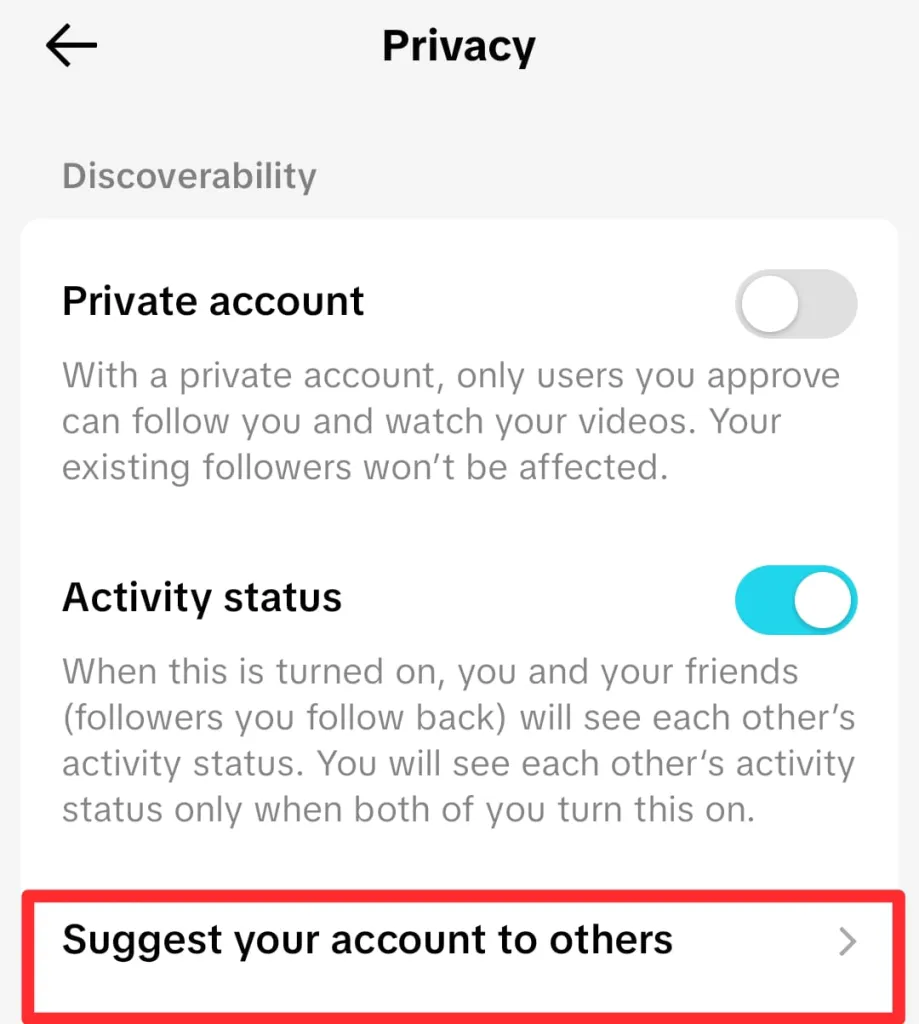
- You can turn off the options, which include your Contacts, Facebook friends, and People who open and send you links.
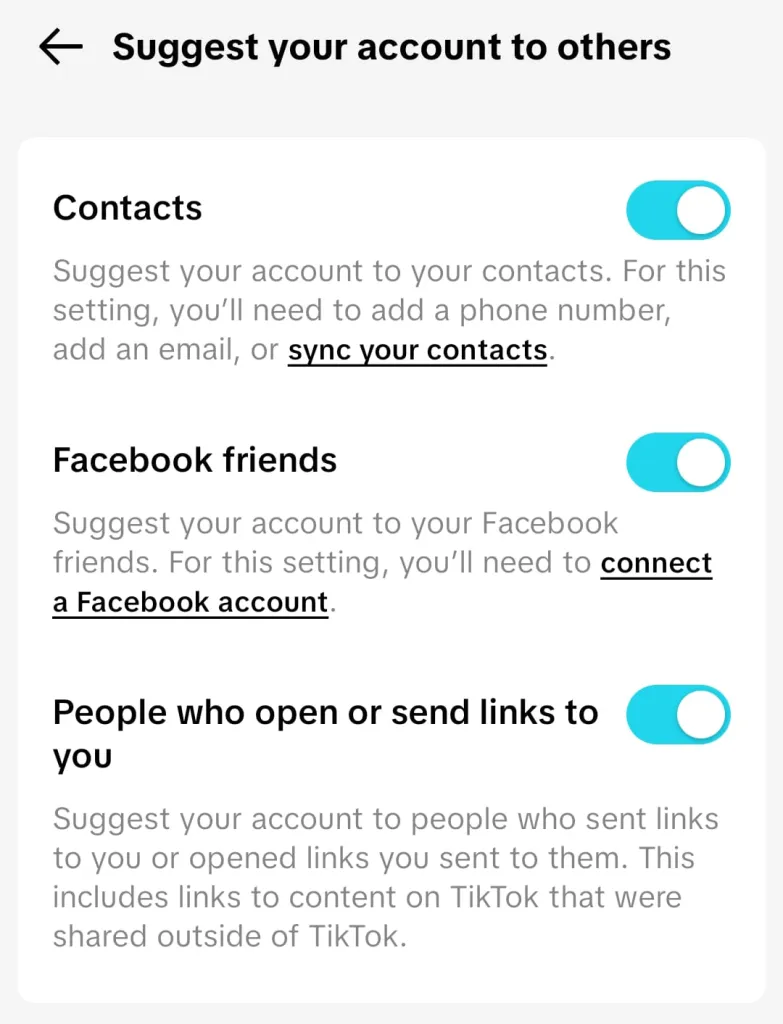
If you want to remain a ghost on the app, I highly recommend switching these off so you do not pop up in the “Suggested” list of everyone you know in real life. Also, you can avoid getting the notification of Shared With You from TikTok.
2. Interaction Control
If you are a creator and know the best time to post videos on TikTok, you will reach a massive audience and get more likes and comments on your TikTok videos. Also, people can use the Direct Message option to reach out and interact with you.
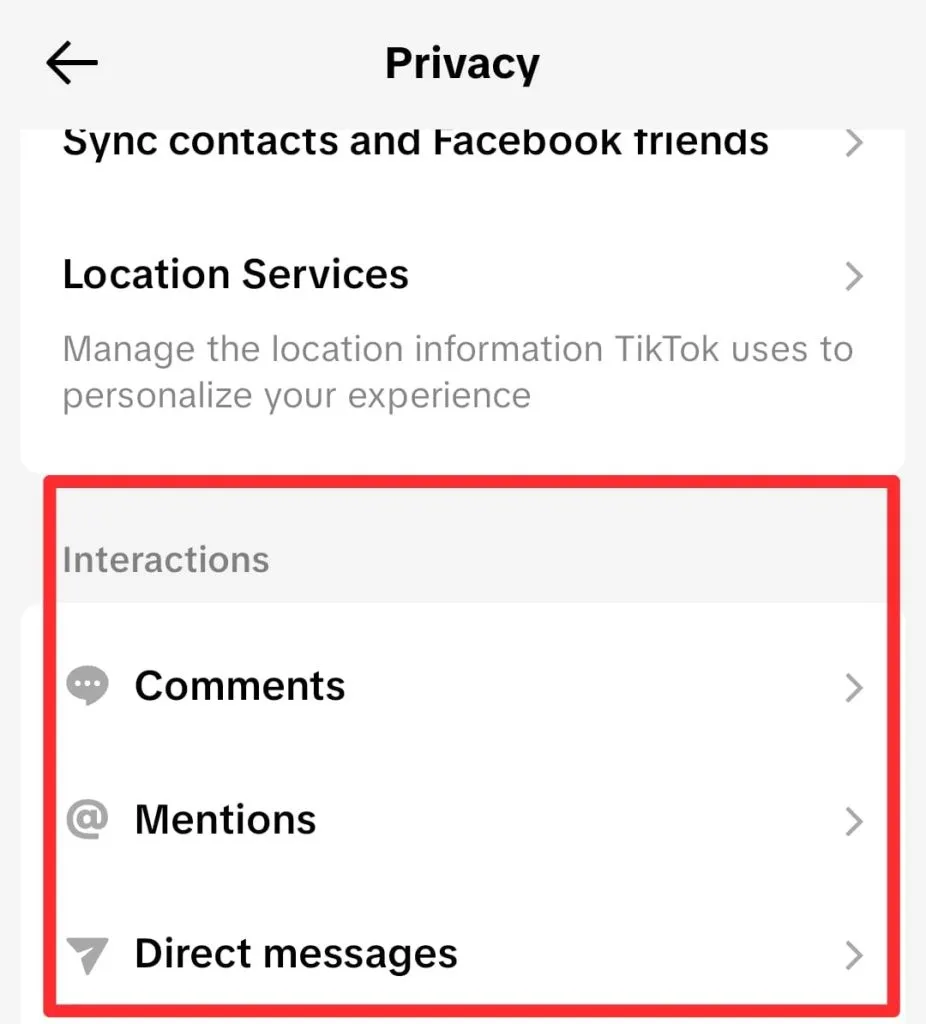
While it sounds amazing on paper, toxic interactions often ruin the mood. So, you have to control or limit your interactions by using the built-in interaction control options of TikTok in the Privacy Settings menu.
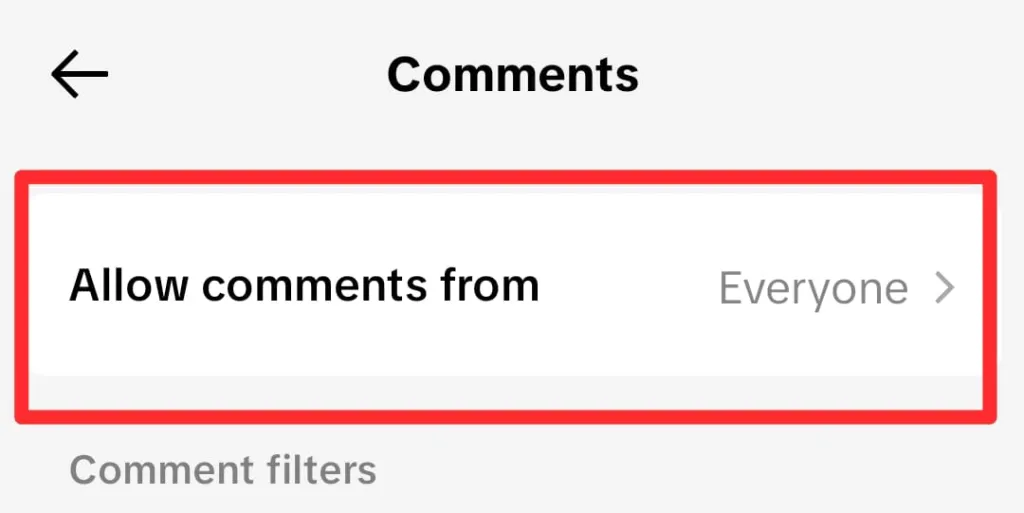
a) Comments
- Go to the Privacy settings on TikTok.
- Scroll to the Interactions section and tap on the Comments.
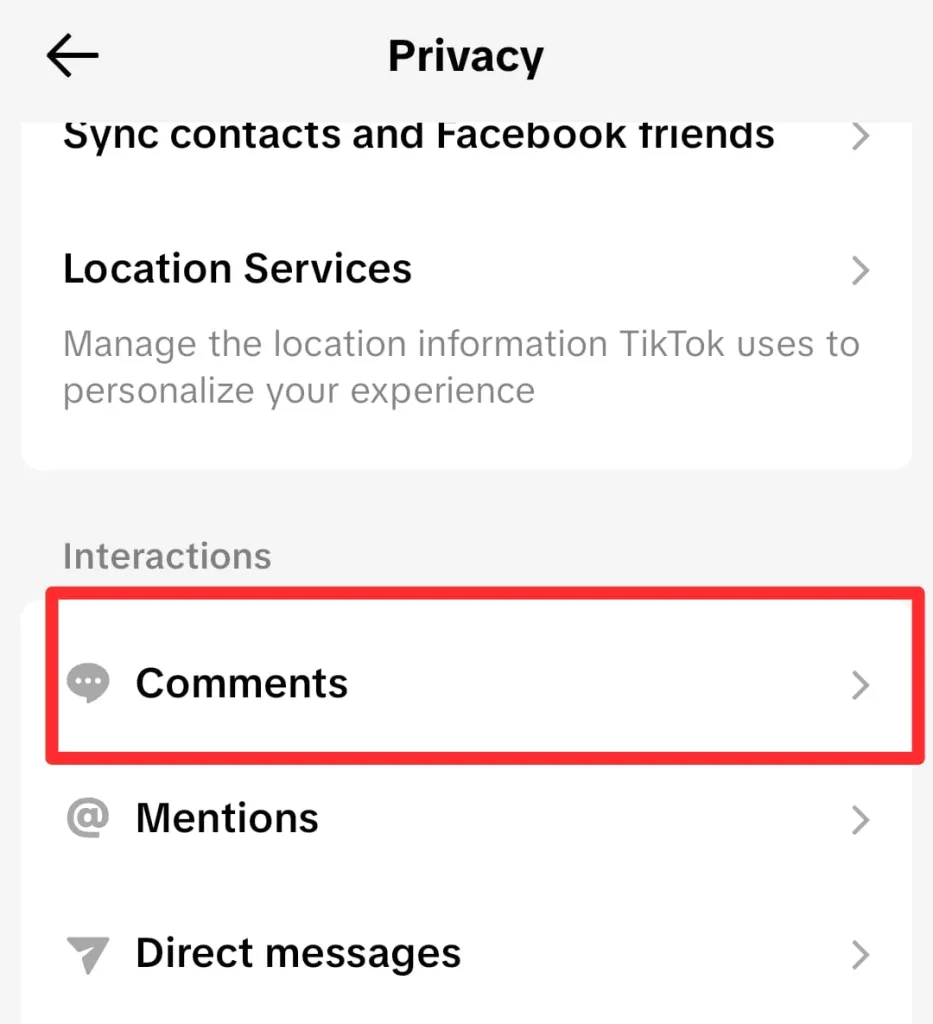
- Customize your privacy through the “Allow comments from” section.
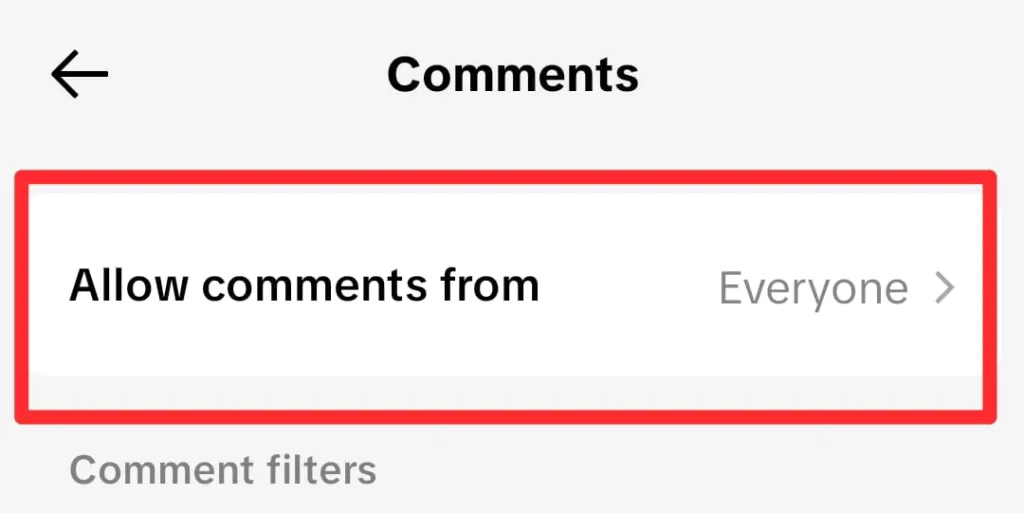
I believe that your comment section should be a safe space. You have the power to turn off comments on your TikTok videos for clean and stress-free interactions.
b) Mentions
- Choose Mentions from the Privacy settings menu of TikTok.
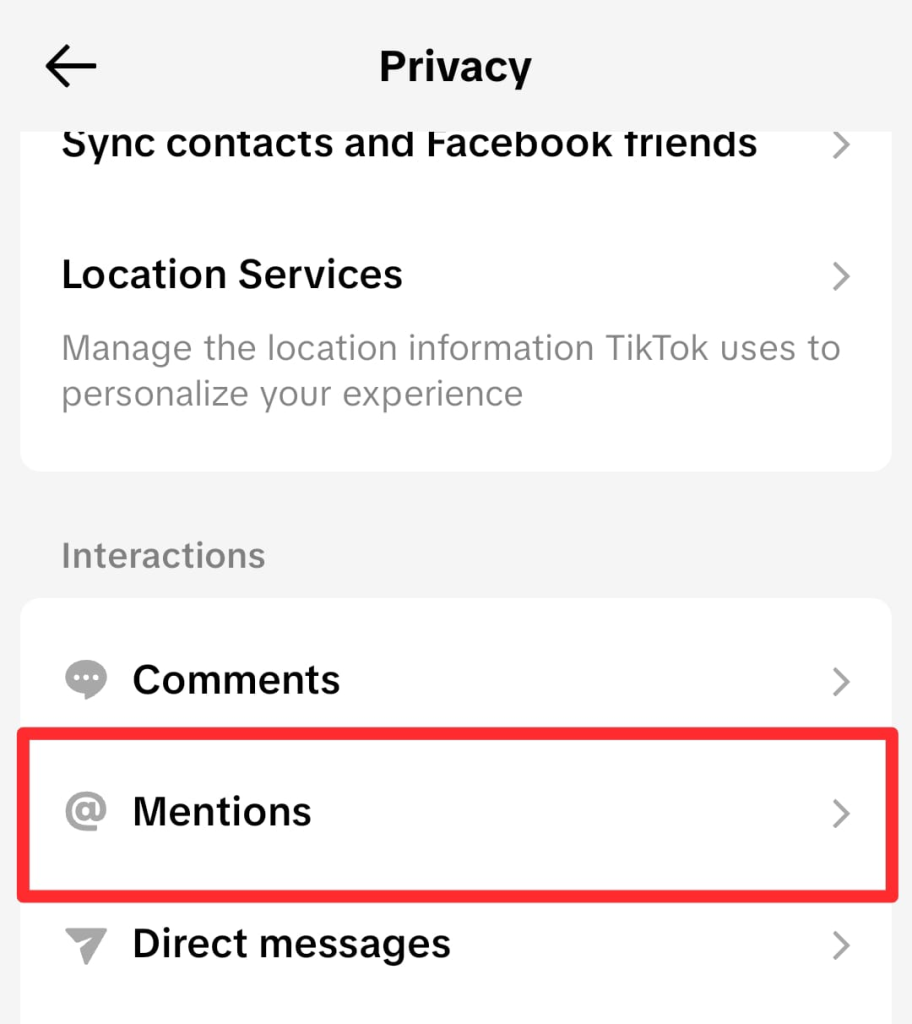
- Customize “Allow mentions from.”
I personally set my mentions to “People you follow” to avoid random spam tags.
c) Direct Messages
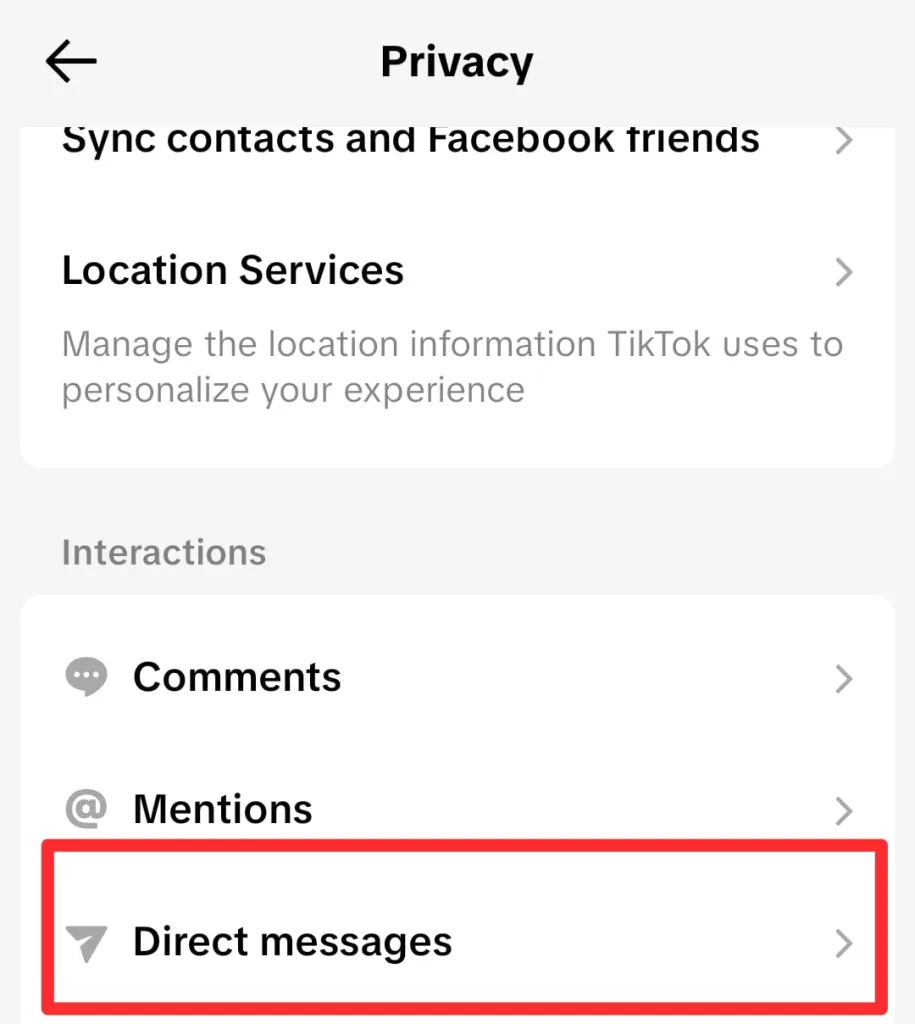
You can also manage your Direct Messages here.
- Tap Direct Messages.
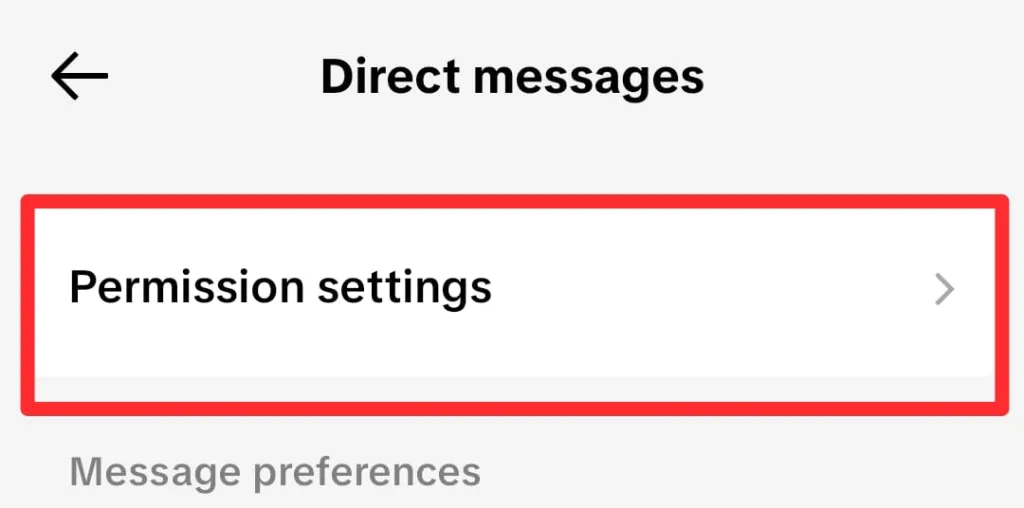
- Now, go to Permissions settings.
- Customize the “Who can send you messages” section.
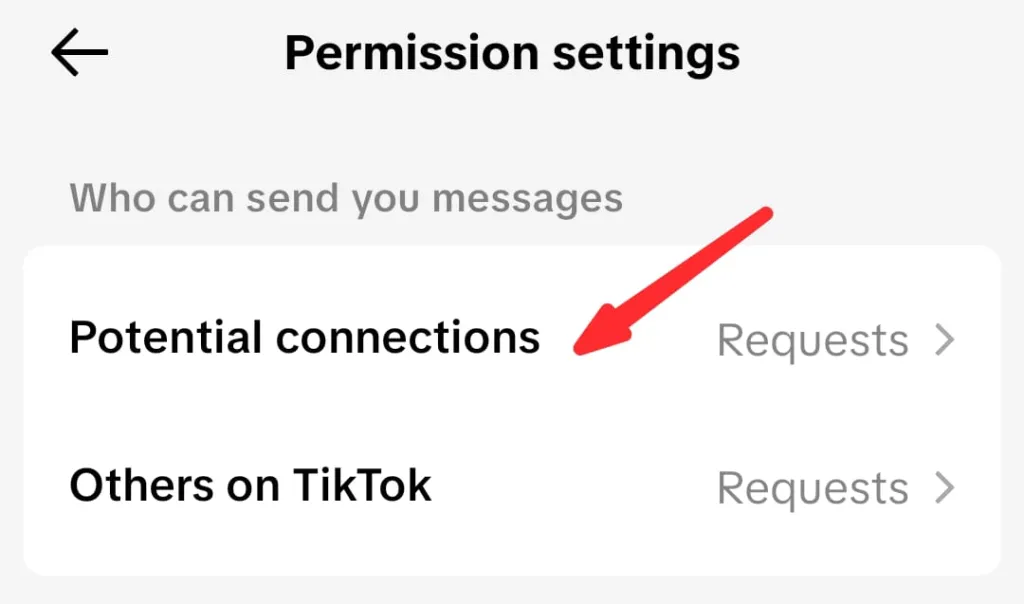
I suggest filtering your DMs so that only friends can reach out to you, which prevents unwanted messages from cluttering your inbox.
If you are still not satisfied, you can get help from my guide on blocking users on TikTok for your own peace and mental satisfaction.
3. Content Sharing & Collaboration
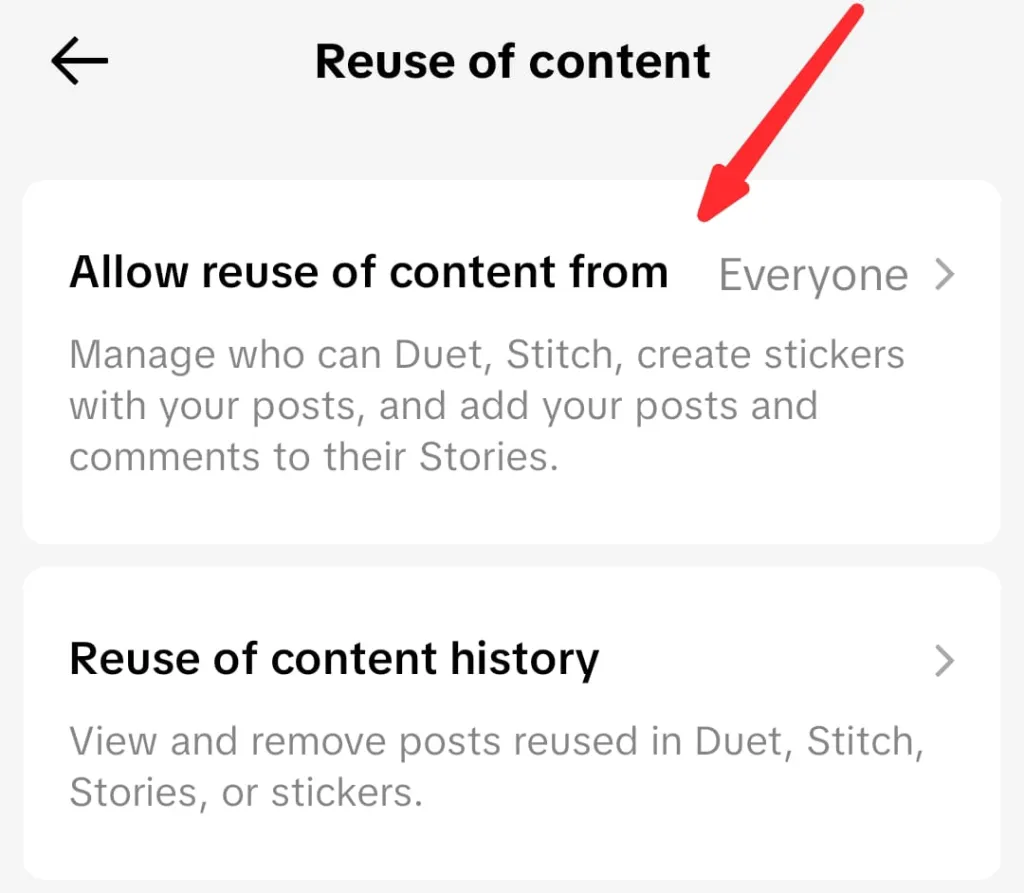
TikTok is famous for collaboration tools like Duet and Stitch. These are fun, but they allow other people to essentially “re-post” your face on their own profiles.
If you are not comfortable with strangers using your clips, you can disable these features entirely.
- Go to the Privacy settings.
- Under the Interaction section, tap on the “Reuse of content” option.
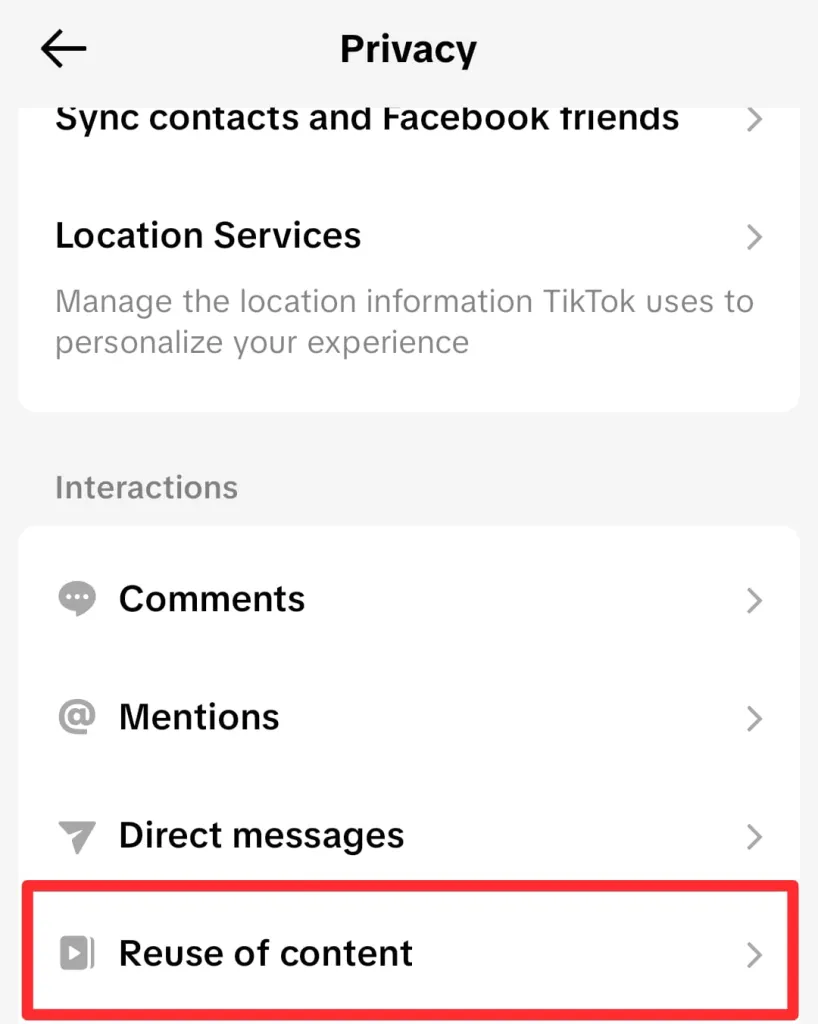
- Change the options as per your needs.
Practical Steps for a TikTok Lockdown Audit
If you are feeling a bit overwhelmed, don’t worry. I like to perform what I call a “Privacy Tune-Up” for TikTok every few months. It is a quick manual check to ensure that my digital trail is clean and that I am not leaving any doors unlocked.
1. The 5-Minute Privacy Tune-Up
I start by looking at my follower list. If there are accounts that look like bots or people I no longer want to share my life with, I remove them.
You should also check the blocked list to ensure it is up to date. This quick audit ensures that the foundation of your account security is solid before you look at the more technical data settings.
Also, when you go live on TikTok, make sure to note the users who spread unnecessary hate. Later, you can block them.
2. Managing Your Following List
Did you know that by default, everyone can see who you follow? I find this a bit intrusive, so I always switch my “Following List” visibility to “Only Me.”
You should also do this because it keeps your interests and your connections private. It is a small change that goes a long way in keeping your browsing habits away from prying eyes. For this purpose:
- Go to the Privacy settings.
- Scroll down to the Interactions section and tap Following List.
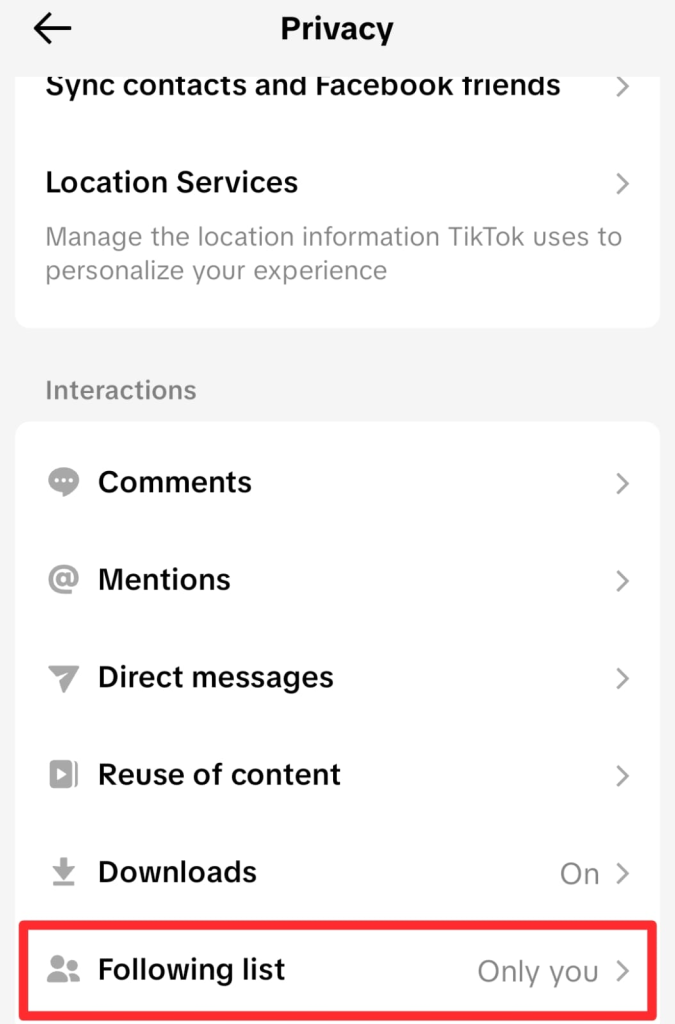
- Switch it from Everyone to “Only You.”
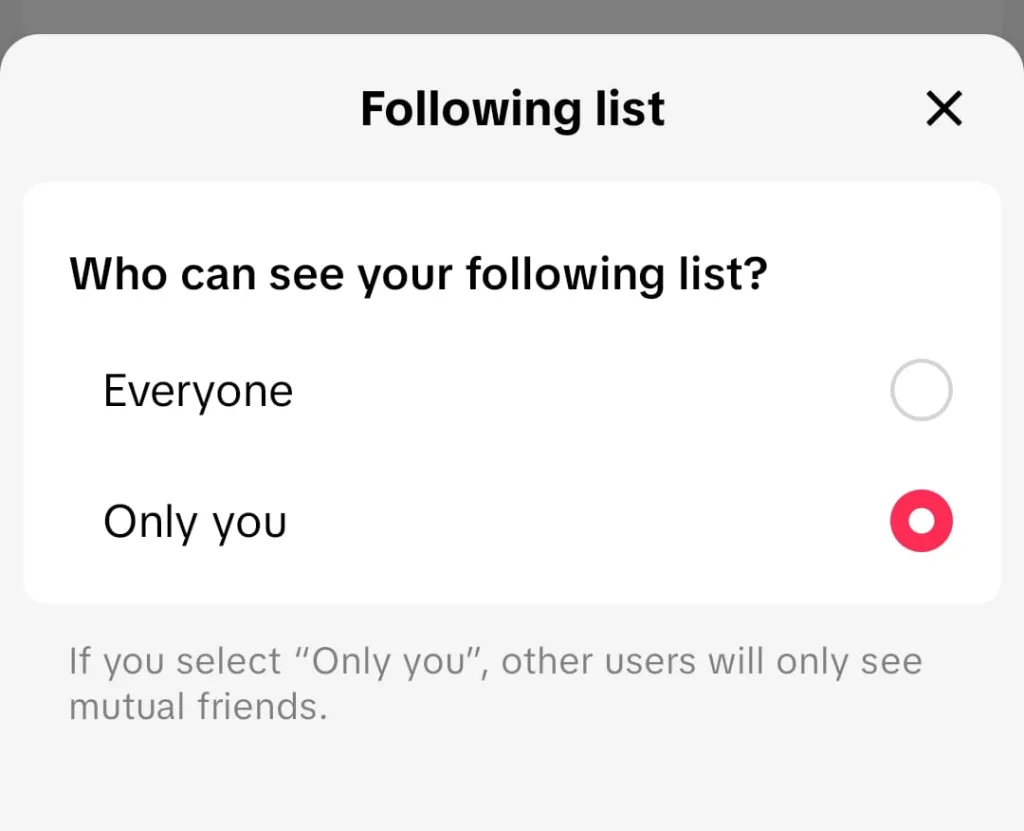
Remember that this setting has nothing to do with your Following Feed on TikTok, and also, it has no impact on your account’s reach.
3. Clear the Digital Trail
TikTok keeps a record of every video you have ever stayed on for more than a second. That’s why you should make it a habit to clear your watch history and search history.
- Go to your Profile.
- Click the three horizontal lines in the top right corner.
- Tap the Settings icon.
- Scroll until you find the Activity Center option.
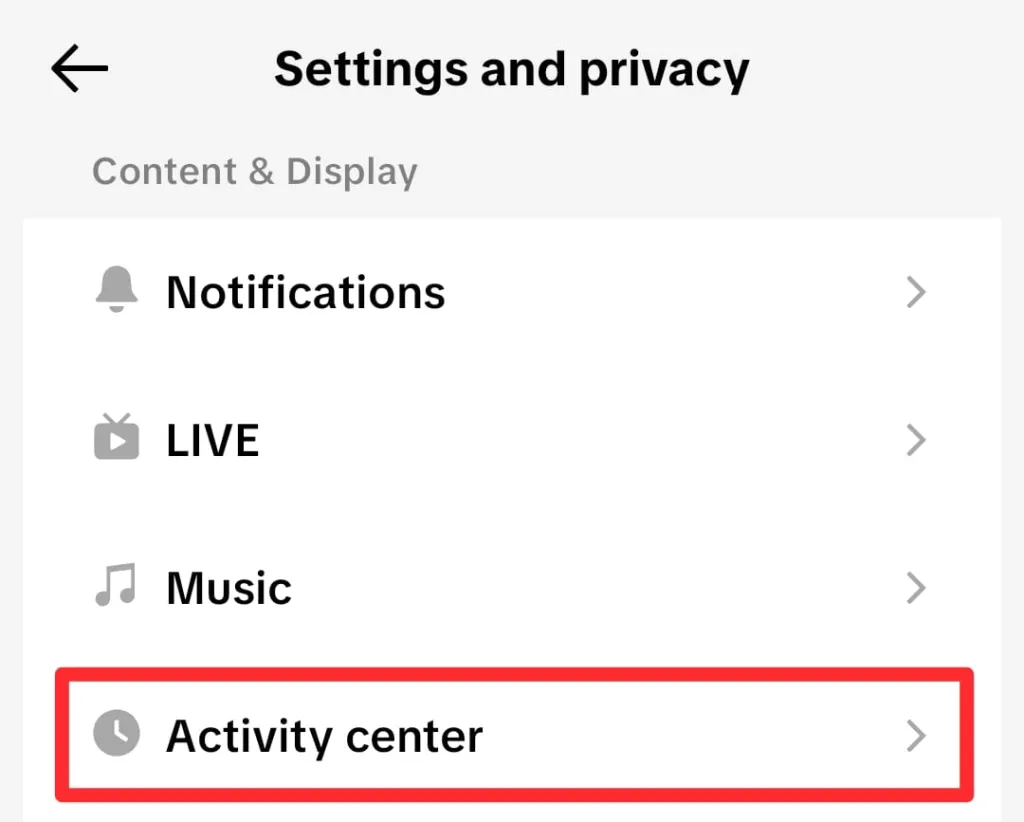
- From here, you can manage your activities on TikTok.
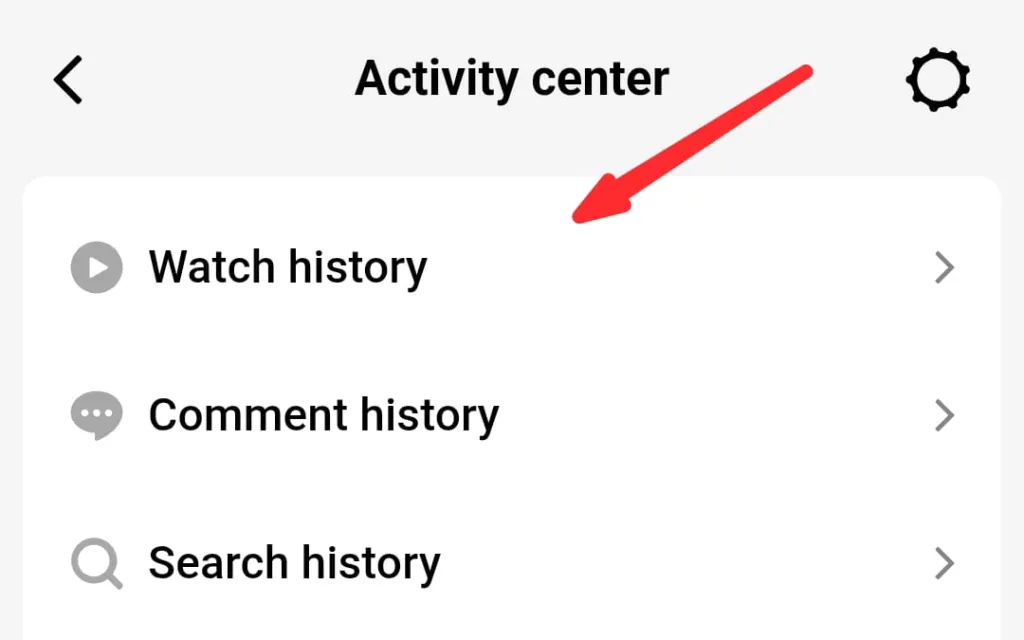
These steps not only help with privacy but also reset your algorithm if you find your feed getting a bit stale.
Expert Insights: Advanced Security & Ethics
As someone who spends a lot of time in digital spaces, I have learned that privacy and security are two sides of the same coin.
Once you have your TikTok privacy settings locked down, you need to make sure your actual account cannot be compromised. It involves a bit of a mindset shift in how you treat your digital identity across the web.
1. The “Burner” Mindset
Some of the most savvy people I know use what is called a “burner” mindset. It means they use a separate email address specifically for social media platforms that is not linked to their primary bank or work accounts.
I think this is a brilliant way to add an extra layer of insulation between your social life and your “real” life. If one account is ever compromised, the others remain safe.
2. Two-Factor Authentication (2FA)
I cannot stress this enough: turn on Two-Factor Authentication. It is the single most important step for account protection.
Even if someone guesses your password, they cannot get into your account without a code sent to your phone or email. I view this as the deadbolt on your digital front door. It is a simple step that prevents the vast majority of account takeovers.
3. Third-Party Apps
Every now and then, I check which third-party apps have access to my TikTok data. Maybe you used your TikTok login for a random editing app or a giveaway site.
These permissions can linger long after you have stopped using the service. I suggest going into “Security” and then “Apps and services permissions” to revoke access for any app you do not recognize or no longer use.
Final Thoughts: Balancing Expression and Protection
Navigating the TikTok privacy settings feels like a full-time job, but I promise that setting these boundaries is worth the time. You deserve to enjoy everything TikTok has to offer without feeling like you are being watched or tracked against your will.
Privacy is a continuous journey, and as the app evolves, so should your settings. I hope this guide gives you the confidence to post and scroll with total peace of mind. Remember that you are the creator of your own digital world, and you get to decide who is invited to the party.