xFi Complete is Xfinity’s all-in-one internet upgrade that combines unlimited data, advanced security, whole-home WiFi coverage, and the latest gateway hardware for a single monthly fee. Unlike the standard xFi Gateway, xFi Complete removes data caps, provides xFi Pods for dead zones, and includes built-in protections for every device in your home.
This service is designed for heavy streamers, gamers, large households, and smart homes that need reliable connectivity across multiple devices. However, it comes with a monthly subscription and limited customization, making it less ideal for light users or tech enthusiasts who prefer full control over their network.
In this guide, I will break down all the pros and cons of xFi Complete, explain who benefits the most, and help you decide whether it is worth adding to your Xfinity plan in 2026.
The Core of xFi Complete
When you sign up for xFi Complete, you are essentially paying for a service bundle that combines your equipment rental with several high-value software features.
It is not just a fancy name for a router. It is a comprehensive management system for your home network that Xfinity has refined over the years. By the year 2026, the landscape of home internet has changed significantly, but the core pillars of this service remain focused on convenience and peace of mind.
What are the Pros of xFi Complete?
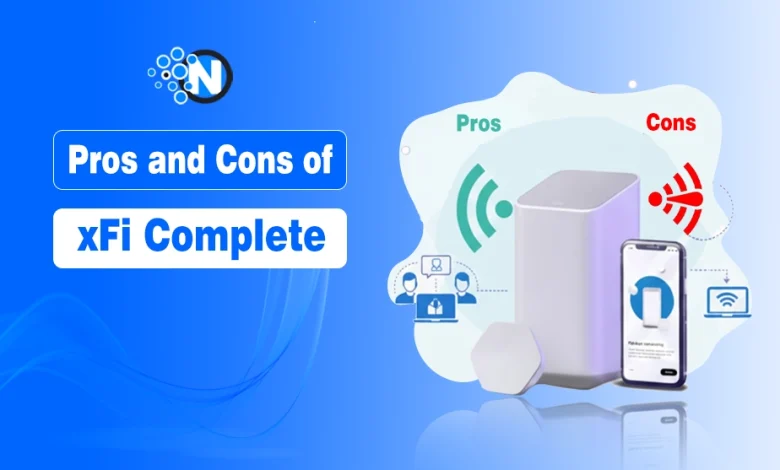
There are several benefits of xFi Complete, like unlimited data, inclusion of xFi gateway, advanced security features, xFi Pods, and whole home coverage.
These advantages go beyond just having a router in the corner of your room. When I look at the value proposition, it is clear that Xfinity is trying to offer a “set it and forget it” experience. It is perfect for the average user who wants high performance without having to be an IT professional.
The integration between the hardware and the software creates a synergy that is hard to replicate with a piecemeal setup of your own.
1. The Inclusion of the xFi Gateway
The first thing you will notice is that xFi Complete provides you with the latest Xfinity Gateway, which is a combination of a modem and a wireless router. I have found that having this hardware included is a major relief for people who do not want to spend hours researching Xfinity compatible modems.
Depending on your specific internet plan, you might receive the XB8 or even the newer XB10 model, which supports the latest Wi-Fi standards like Wi-Fi 7. This hardware acts as the brain of your home, managing dozens of devices simultaneously while maintaining a stable connection for your high-priority tasks.
2. The Power of Unlimited Data
For many of us, the real star of the show here is the unlimited data. Xfinity typically imposes a 1.2 terabyte data cap on many of its standard plans, and while that sounds like a lot, it can vanish quickly if you are working from home or streaming 4K content.
When you opt for xFi Complete, you essentially tear up that rulebook and use as much data as you want. I really appreciate the freedom of not having to check a meter every time I want to download a new game or hop on a long video call.
It removes the “bill shock” that comes with those $10 overage charges that can stack up to $100 a month if you are not careful.
3. Whole Home Coverage and xFi Pods
One of the most unique features I have seen with this service is the Whole Home WiFi evaluation. After you set up your gateway, Xfinity actually monitors your signal strength throughout your house for about two weeks. If their systems detect that you have dead zones or weak spots, they may provide you with an xFi Pod at no additional cost.
These pods are small mesh extenders that plug directly into your wall outlets to bridge the gap in coverage. I think this is a fantastic perk for anyone living in a larger home or a house with thick walls where a single router just cannot reach every corner. Owing to this, the xFi Gateway vs xFi Complete vs Xfinity Pro debate sticks to cellular backup only.
4. Advanced Security Features
In an era where cyber threats are becoming more sophisticated, I believe that built-in security is a huge plus. The xFi Complete package includes Advanced Security, which works at the gateway level to protect every device connected to your network.
It means your smart cameras, thermostats, and even your guests’ phones are shielded from known malicious sites and phishing attempts. You get real-time alerts on your phone whenever a threat is blocked, which give you a clear window into how the system is working to keep your digital life safe.
5. Seamless Management via the Xfinity App
I am a big fan of user-friendly interfaces, and the Xfinity app is where you really get to play the conductor of your network. You can see every device that is currently online, assign them to specific family members, and even pause the internet for certain devices when it is time for dinner or bed.
The app also allows you to perform speed tests and troubleshoot issues without having to call technical support and wait on hold for an hour. It puts a lot of power in your hands in a way that feels intuitive rather than overwhelming.
What are The Drawbacks of xFi Complete?
The cons of xFi Complete are limited customization, dependency on the Xfinity ecosystem, and monthly subscription costs.
These are definitely some reasons why xFi Complete might not be the right fit for everyone. I want to be honest about the trade-offs you are making when you choose this bundled approach over a DIY setup.
For some users, these very things that make the service convenient are the things that make it restrictive. If you are someone who likes to have total control over every setting in your network, you might find certain aspects of this service a bit frustrating.
1. The Monthly Subscription Cost
The most obvious downside is the recurring monthly fee, which is usually around $25. While this covers your equipment and unlimited data, it is a cost that never goes away. If you were to buy your own high-quality modem and router for Xfinity, you would pay a larger amount upfront but potentially save hundreds of dollars over several years.
I always tell people to do the math based on how long they plan to stay with Xfinity. If you are a long-term customer, that monthly rental fee can start to look like a very expensive way to borrow a piece of plastic.
2. Limited Customization for Tech Enthusiasts
If you are a power user who loves to tweak every single setting on your router, you might feel a little boxed in here. The xFi Gateways are designed for simplicity, which means many advanced networking features are hidden or completely locked away.
For example, some users have noted that they cannot easily separate the 2.4 GHz and 5 GHz bands or change certain DNS settings that they could easily modify on a retail router. I think it is important to know that you are trading deep customization for ease of use and integrated support.
3. Dependency on the Xfinity Ecosystem
When you use xFi Complete, you are leaning heavily into the Xfinity ecosystem. It means that if you ever decide to switch providers, your entire home network setup, including those mesh pods, becomes useless.
I have found that being “locked in” can be a bit of a headache if a better deal comes along from a fiber provider in your area. You also have to use their app for almost everything, so if the app is down or having issues, your ability to manage your network is significantly hampered.
Is xFi Complete Right for Your Household?
xFi Complete is right for you if you are a heavy streamer and love downloading and playing online games, and also if you have a large family.
Deciding whether to add this to your plan really comes down to your specific lifestyle and how you use the internet. I have seen it work beautifully for some families while being a total waste of money for others.
It is all about finding that sweet spot between cost and utility. If you are someone who just wants the internet to work and does not want to think about it again, the convenience factor is hard to beat.
However, if you are an occasional browser who barely uses 200 gigabytes a month, you are essentially paying for a buffet you are not eating.
Best for Heavy Streamers and Gamers
If your house is full of people streaming Netflix in different rooms while someone else is downloading a massive 100 gigabyte game update, I think xFi Complete is a no-brainer. The unlimited data alone makes it worth it because just one or two months of overage charges could pay for the service for an entire year.
I also think gamers benefit from the latest hardware, as the newer gateways are built to handle low-latency connections much better than older models. It takes the stress out of the “digital chores” of updating software and downloading content.
Ideal for Large Families and Smart Homes
For those with a lot of square footage or a long list of smart home devices, the coverage guarantee is a major selling point. If you have ever tried to set up a third-party mesh system, you know it can be expensive and sometimes temperamental.
Having Xfinity handle the “mesh” part of the equation through their evaluation and potential xFi Pods saves you a lot of technical headaches. I believe that for a busy household with dozens of connected devices, having a single point of contact for support and hardware is a massive advantage.
How to Compare the Cost of xFi Complete Over Time?
I think it is very helpful to look at the financial side of things from a long-term perspective. When you look at the $25 fee, you have to remember it includes the $14 or $15 equipment rental fee you would already be paying if you used their standard gateway.
It means the “extra” cost for the unlimited data and security features is actually closer to $10 or $11. In my experience, if you were to buy unlimited data as a standalone add-on for your own equipment, it usually costs $30. So, ironically, renting their gear can actually be the cheaper way to get unlimited data.
The Math for the Budget Conscious
If you are trying to save every penny, the best route is almost always to buy your own modem and router and stay under the data cap. You can find a decent setup for under $200 that will last you three to five years.
If you do not need unlimited data, then paying for xFi Complete is essentially donating money to a large corporation. I always suggest checking your usage history in the Xfinity app for the last three months.
If you are consistently under 1 terabyte, you can probably skip this service and keep that extra cash in your pocket.
The Hidden Value of Support and Upgrades
One thing I often overlook is the value of free hardware upgrades. Technology moves incredibly fast, and what is cutting edge today will be obsolete in three years. With xFi Complete, when Xfinity releases a new version of its gateway, you can often swap your old one for the new model at no extra charge.
I find this to be a subtle but important pro because it ensures your home network stays current with the latest speeds and security protocols without you having to drop another $300 on a new router every few years.
Final Thoughts
In the end, xFi Complete is a premium service designed to take the guesswork out of home networking. It is a bundle that prioritizes your time and your peace of mind over raw cost savings.
I think Xfinity has done a good job of identifying the biggest pain points for internet users, data caps, dead zones, and security, and wrapping them into a single package. While it is not the right choice for the ultra-frugal or the highly technical, it serves a massive middle ground of users who just want reliable, unlimited internet for their modern lives.