If you have ever worked on a large auto auction lot, you know how time-consuming it can be to locate a single vehicle among hundreds. For dealers and transporters, even a few minutes of delay can affect the entire workflow.
Lot Vision, a GPS-based vehicle tracking system used by Manheim, helps solve this problem by making it easier to find vehicles across the lot.
While reviewing auction tools and digital systems in this space, I have seen how platforms like this improve day-to-day operations for teams working on tight schedules.
In this guide, you will learn the LotVision Login process step by step, so you can access your account quickly and start locating vehicles without wasting time.
My Lot Vision Manheim Login Step-by-Step Guide
In 2026, the LotVision interface is sleeker and more integrated than ever, but the core goal remains the same: getting you to your vehicle within a 10-foot margin of error. Accessing the platform doesn’t require a PhD, but following the right steps ensures you aren’t fighting with permission pop-ups while standing in the sun.
Step 1: Choose Your Entry Point
You don’t actually have to download a dedicated “Lot Vision App” from the app store if you don’t want to. There are three main ways to get in:
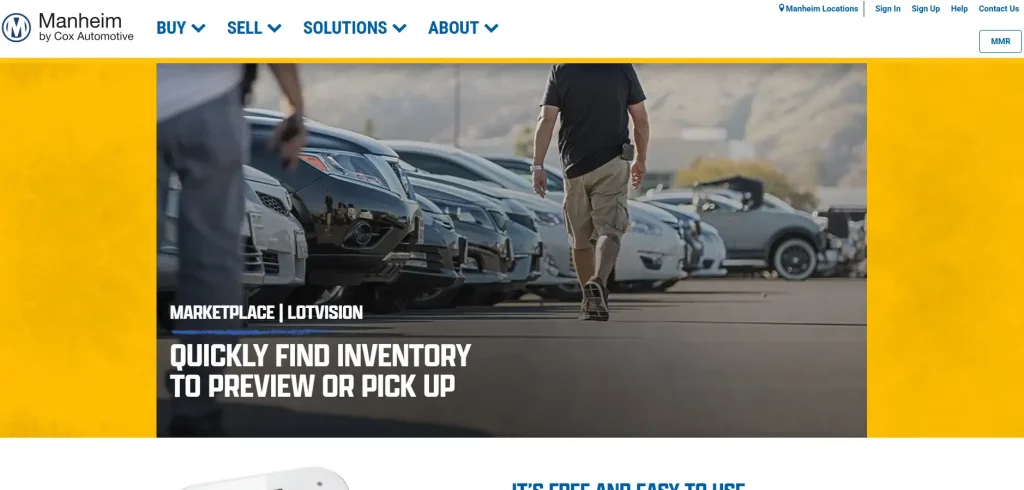
- The Browser Method: Head over to mymanheim.com/lotvision. This is the most stable way to access the map on both desktop and smartphones.
- The QR Code Shortcut: If you are physically at the auction, look for the Lot Vision posters. Scanning the QR code will take you directly to the map for that specific location.
- The Manheim App: For those who already have the Manheim app installed, you can find LotVision integrated into your “Purchases” or “Seller Dashboard.”
Step 2: Select Your Location
Once the page loads, you will see a dropdown menu or a list of Manheim auction sites. It’s crucial to select the correct auction location (e.g., Manheim Atlanta, Manheim Pennsylvania).
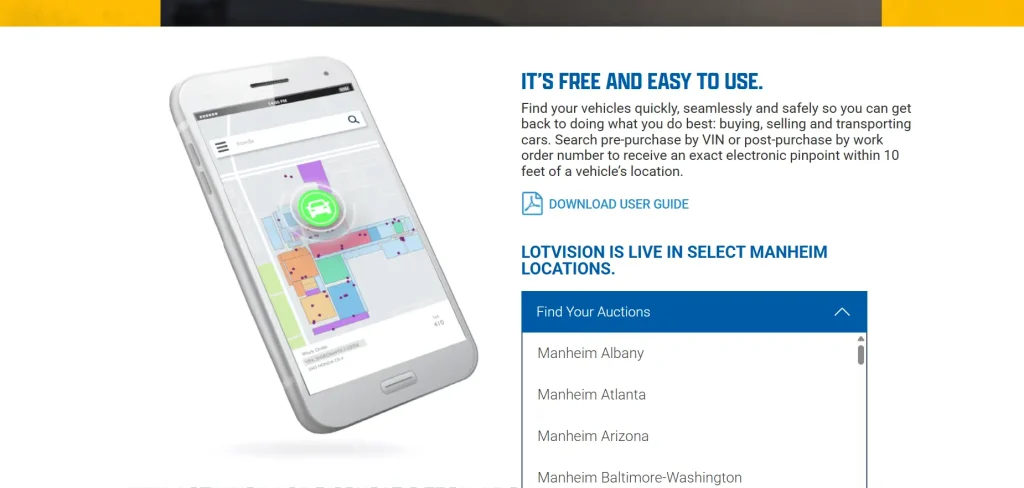
Each lot has its own dedicated tracking grid, and entering data into the wrong location simply won’t return any results.
Step 3: Enter Your Vehicle Data
You don’t necessarily need to “log in” with a username and password just to search for a car if you have the right numbers. You can search by:
- VIN (Vehicle Identification Number): Great for pre-purchase research.
- Work Order Number: Typically found on your Gate Pass or Purchase Invoice.
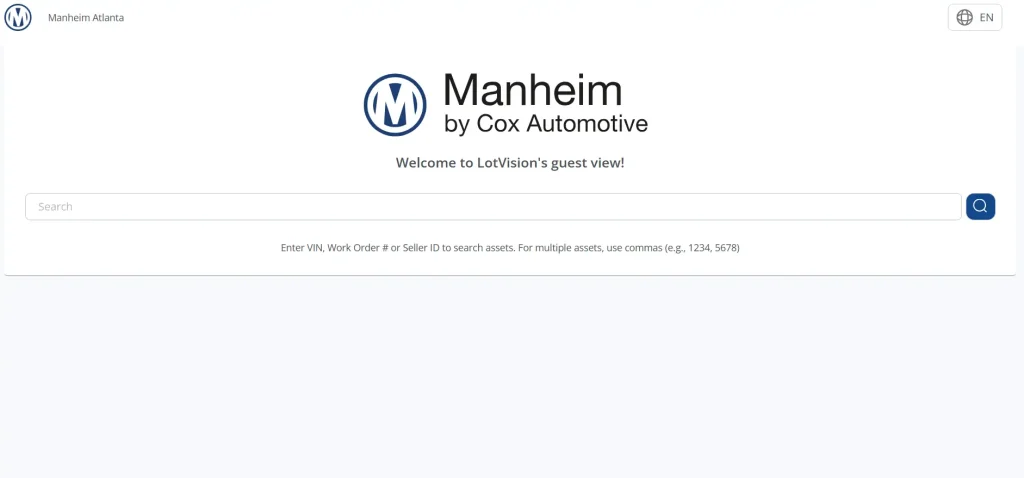
👉 Pro Tip: You can search for up to 300 vehicles at once. Just paste your list of VINs or Work Orders, separated by commas or spaces, and the map will light up like a Christmas tree with all your targets.
Step 4: Enable Permissions (The “Show My Position” Phase)
This is where most people get stuck. To see your own blue dot moving on the map relative to the car, you must enable location services. When prompted by your browser (Chrome is preferred), click “Allow” for location access.
If it doesn’t prompt you, go into your phone’s settings:
- iPhone: Settings > Privacy & Security > Location Services > Safari (or Chrome) > While Using the App.
- Android: Settings > Location > App Permissions > Chrome.
Who Can Login to LotVision?
While LotVision is “free” to access, it isn’t necessarily a public tool for casual car enthusiasts. It is a professional-grade ecosystem designed for the wholesale remarketing industry. So, only a few people can log in to it. These include:
1. Licensed Dealers
If you are a licensed automobile dealer with a valid AuctionACCESS membership, you are the primary user. Most of the deep-link features, like saved workbooks and full purchase histories, require you to log in with your Manheim.com credentials.
If you can log into the main Manheim site, you can log into LotVision.
2. Transporters and Car Haulers
Transporters often use the “Guest View” or the direct link from their digital gate pass. As long as you have the Work Order number or the VIN provided by the person who hired you, you can access the mapping features without needing a full dealer account.
This is a massive win for haulers who need to get in, load up, and get out quickly.
3. Manheim Staff and Sellers
Sellers use LotVision to track their inventory’s “health” and location on the lot. If a seller wants to check if their cars are properly staged for the morning run, they can log in via their Seller Dashboard to see real-time updates.
Final Thoughts
Mastering the Lot Vision Login Guide 2026 is about more than just knowing a URL. It is about using the full power of Cox Automotive’s IoT technology to save your most valuable asset: time.
When you ensure your location permissions are set correctly and utilize the bulk search feature, you can navigate the largest auction lots in the world with the precision of a surgeon. Whether you are checking for DTC codes or just trying to find where the transport truck is parked, LotVision is the bridge between the digital and physical auction world.
Stay efficient, keep your GPS on, and happy hunting!