How to Self-Host an Open-Source ChatGPT Alternative in Under an Hour With Ollama and Open WebUI

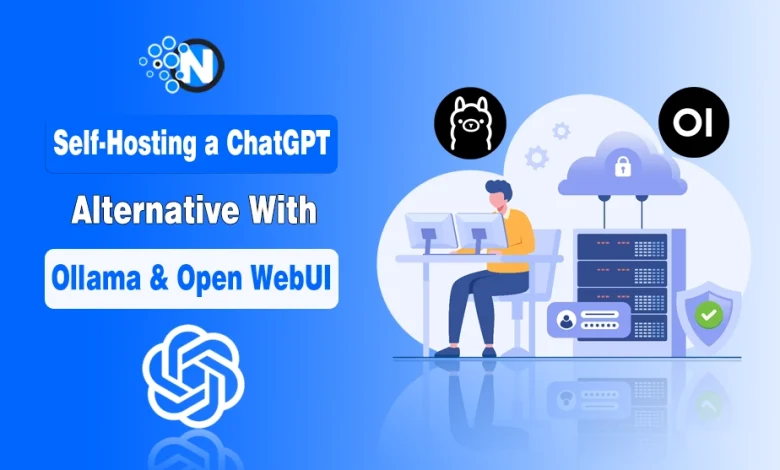
- You can build a ChatGPT-like AI locally in under an hour using Ollama + Open WebUI.
- Self-hosting gives you full data privacy, offline access, and zero subscription costs.
- Ollama allows you to run powerful open-source models like Llama 3 and Mistral locally.
- Open WebUI provides a simple ChatGPT-style interface for easy interaction.
- Self-hosted AI is not a full replacement for cloud AI but is perfect for secure and internal workflows.
Running your own AI assistant locally is no longer just a developer experiment. In 2026, it has become a practical, privacy-first alternative for freelancers, startups, and even small businesses that want full control over their data.
With tools like Ollama and Open WebUI, you can build a powerful ChatGPT-like system on your own computer in under an hour, without subscriptions, usage limits, or sending sensitive data to external servers.
This guide walks you through the step-by-step process to self-host an open source ChatGPT alternative with Ollama and Open WebUI.
Why Self-Hosting AI Is Gaining Ground?
Most people use AI through SaaS-based AI alternatives. These are cloud platforms where your prompts are sent to remote servers, processed there, and then returned as responses. That setup is convenient for casual use, but it also raises real concerns about privacy, ongoitng costs, and reliance on third-party infrastructure.
For Dutch businesses working with sensitive client records, legal files, or internal communications, keeping AI interactions local makes a lot of sense. Self-hosting takes the cloud out of the picture. Everything runs on hardware you control, which means far more control over where information goes and how it is handled.
What Is Ollama?
Ollama is an open-source tool that lets you run large language models (LLMs) directly on your computer.
It handles:
- Downloading AI models (like Llama, Mistral, Qwen)
- Running them locally
- Providing a simple API for apps like Open WebUI
Once a model is installed, it runs entirely offline, turning your system into a private AI engine.
What Is Open WebUI?
Open WebUI is the interface layer that makes your local AI usable.
Think of it as a ChatGPT-style web app that connects to Ollama. It provides:
- Clean chat interface
- Conversation history
- Model switching
- Markdown support
- Multi-user support (for teams)
Together, Ollama + Open WebUI create a complete private AI system.
What You Need Before Starting?
The setup is straightforward, and the requirements are fairly light. Here is what you should have ready:
● A computer running Windows 10/11, macOS 12 or later, or any modern Linux distribution
● At least 8GB of RAM, with 16GB recommended for larger models
● Around 5 to 10GB of free disk space per model
● Docker Desktop installed, for Open WebUI deployment
● A stable internet connection for the initial download only
A GPU is not essential, but it will make responses noticeably faster.
Step-by-Step Installation Guide
Step 1: Install Ollama
Go to the official Ollama website and download the installer for your operating system. On macOS and Windows, the process is much like installing any normal app. On Linux, you can usually handle it with a single terminal command. After installation, Ollama runs in the background automatically.
Step 2: Pull a Model
Open your terminal and run a command such as ollama pull llama3 to download a model. Llama 3 is a solid place to start because it is capable, well documented, and free to use. Depending on your connection, the download should only take a few minutes.
Step 3: Deploy Open WebUI via Docker
Run the standard Docker command to pull and launch the Open WebUI container. Once it is up, open your browser and go to localhost:3000. The interface should load right away and connect to your local Ollama instance automatically.
Step 4: Start Chatting
Choose a model from the dropdown menu and start using it. The experience feels very close to ChatGPT. You get multi-turn conversations, markdown rendering, and a clean chat history sidebar straight away.
Practical Uses for Dutch Businesses and Developers
Self-hosted AI fits neatly into a range of everyday workflows:
● Document summarisation without uploading confidential files to external servers
● Code assistance for development teams working on proprietary software
● Internal knowledge base queries using model fine-tuning or retrieval-augmented generation
● Customer communication drafting for Dutch-language correspondence
For teams already looking at top AI tools for business, self-hosting adds another useful layer. It is especially valuable for sensitive tasks that cloud-based tools are not always suited to handle safely.
There is a helpful parallel in the Dutch payments landscape. iDEAL changed the way Dutch consumers pay online by keeping financial data within trusted local systems instead of sending it through less familiar international processors.
Self-hosted AI follows the same basic logic. Dutch online platforms in areas such as e-commerce and entertainment have long been built around that preference for familiar, local infrastructure.
An iDEAL casino is a good example of that thinking in practice, since it relies on a widely trusted domestic payment method instead of defaulting to international alternatives. AI infrastructure works much the same way. When data sensitivity is a serious concern, keeping things local is often the better choice.
Scaling and Customisation Options
Once the basics are in place, there is quite a bit you can do to extend the setup:
● Swap models without reconfiguring the interface
● Add multiple models and compare outputs side by side
● Connect Open WebUI to OpenAI’s API as a fallback for tasks requiring more powerful models
● Enable user accounts for team deployments
If you are comparing the wider market of free AI tools for small businesses, self-hosting fills a very specific need. It is well suited to private, repetitive, or sensitive work that subscription-based tools were not really built for.
A Realistic Assessment
Self-hosting will not replace every AI tool or every use case. Cloud models still do better on complex reasoning and multimodal tasks.
Even so, for privacy-focused workflows, budget-conscious teams, and developers who want full control over their stack, Ollama and Open WebUI offer a surprisingly strong setup for the amount of effort involved.
Getting it running in about an hour is realistic. The results are useful right away, and your data stays exactly where it should.
Final Thoughts
Setting up your own ChatGPT-style AI with Ollama and Open WebUI is surprisingly simple in 2026. In under an hour, you can build a fully functional, private AI assistant that runs locally, protects your data, works offline, and feels just like ChatGPT.
For developers, freelancers, and privacy-conscious businesses, this is one of the most practical AI setups available today. It won’t replace every cloud-based AI tool, but it gives you something even more valuable: Full control over your own intelligence stack.