Are you using a handful of spreadsheets to track tools, lab gear, or tech equipment? Excel spreadsheets might work for a while, but manual tracking doesn’t scale. It’s time-consuming, error-prone, and easy to abandon once things get busy. Fortunately, a new type of asset tracking software offers a better way to get (and stay) organized.
By pairing your phone’s camera with AI and QR code inventory management, you can create a visual, searchable database of everything you own without manual data entry. These AI-powered platforms work anywhere, from home labs to field sites, helping you regain complete control of your assets and find the items you need.
Learn why manual asset tracking drains time and resources, and how to make the switch to a modern asset tracking solution.
The Hidden Cost of Manual Asset Tracking
If you’re still relying on clipboards, spreadsheets, or Google Sheets to track your tools and tech, it’s impossible to keep up in real time. Manual logging systems also introduce a surprising amount of hidden costs, including:
- Human error: On average, it takes 90 minutes to find a misplaced tool with a manual system. For a typical $80 tool, the total lost productivity and replacement costs can quickly add up to over $300 per incident.
- Lost or misplaced equipment: Untracked (or poorly tracked) assets cost as much as $2,875 each time they’re lost.
- Wasted time: It’s an indirect cost, but the time spent looking for lost items has a real effect on your finances. Administrative costs and lost productivity alone cost far more than implementing a modern asset-tracking solution.
Even the most diligent lab manager or facilities coordinator can’t outpace the natural limitations of manual tracking. A single typo or missing serial number can create a ripple effect that skews audits or stops productivity. Multiplied across teams or departments, these inefficiencies cost you a lot of time and money.
The Breakthrough: Camera-Powered, AI-Enabled Asset Tracking
When you think of an asset tracking solution, you might first think of complex and expensive enterprise solutions. Fortunately, that’s not the only option.
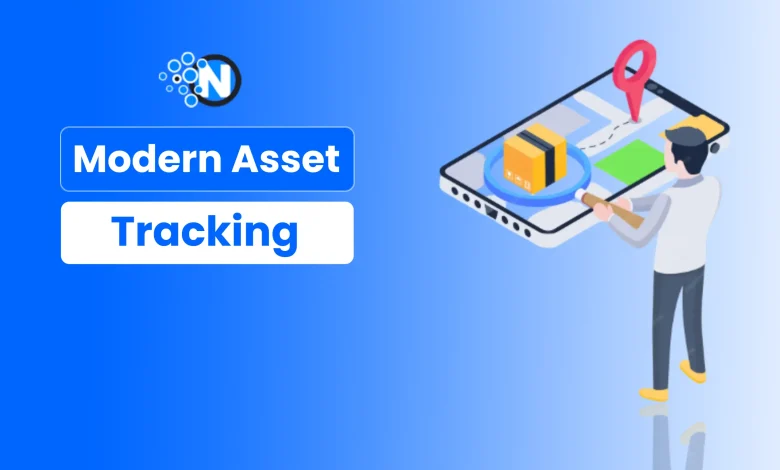
You no longer need complex software or barcode guns to get an accurate view of your inventory. With today’s QR code asset management tools, your phone’s camera is all you need. Simply snap a photo of your equipment, and the AI tool instantly recognizes and tags each item, generating a visual record that’s searchable, organized, and impossible to misplace.
Modern visual asset tools make this process effortless. AI image recognition combined with QR-based inventory systems can now identify multiple items in a single scan, instantly generating item records linked to each unique code. Platforms like Google Lens make it possible to build a complete visual catalog in seconds—automatically updating your inventory without the need for manual data entry.
Equally important is data ownership. Traditional logbooks and cloud-based platforms store your inventory data on their servers, making it difficult to export or manipulate your own data. With a modern equipment management solution, your photos, notes, and attachments remain private and under your control. For example, you can have full export access to your data, so information always belongs to you, not your software.
How Effortless Asset Tracking Works
Asset tracking software removes the friction from managing equipment and other critical assets. There’s no need to buy expensive software or enroll in hours of training; with the right platform, asset tracking is very straightforward. Follow these steps to move away from spreadsheets and embrace a modern approach to asset tracking.
1. Choose a Solution
Before adopting any equipment management solution, ask the right questions:
- Will your records be portable between devices and exportable at any time?
- Does the platform let you control your data easily, without locking you into a single system?
- How strong is its search functionality? Can you locate an item using just a photo, QR code, or barcode?
A tool like Scanlily, for example, takes a visual-first approach. You can export all your data at any time, and its AI-powered image recognition makes it simple to create and find entries across any device – all without needing complex integrations or IT help.
2. Snap a Photo
Using your phone, simply photograph your equipment, tools, or tech gear. The QR code inventory system can then instantly generate a record tied to a unique code, eliminating the need for manual data entry.

3. The App Does The Work
Let the asset tracking app automatically read identifiers, detect patterns, and suggest tags or categories, whether it’s for equipment management, maintenance logs, or storage locations. This is where using QR codes to track inventory truly shines: you get structure without spreadsheets.
4. Search Inventory
Once your assets are in the system, finding them is effortless. Use the asset tracking app to search visually or by keyword, from any browser or mobile device. Whether you’re overseeing a lab, workshop, or maintenance team, this approach to QR code item tracking keeps every detail, from condition notes to attachments, at your fingertips.
Why Is This Better?
It may sound more complex than a Notion file or Excel spreadsheet, but modern asset tracking is a superior choice in every way. Instead of simply digitizing information, it makes the entire experience of managing assets more convenient.
Modern asset tracking software outperforms traditional spreadsheets in so many ways, including:
- Instant identification and rich metadata capture: Each scan automatically records essential details like SKUs, serial numbers, models, and photos, creating a complete, searchable record in seconds.
- No more data entry fatigue: AI-powered recognition and auto-tagging replace tedious typing. These features also eliminate confusion between multiple file versions.
- Completely portable and field-ready: A mobile-first equipment management solution lets you scan, search, and manage assets anywhere, whether you’re in a lab, workshop, or out in the field.
- Reduced asset loss: Visual records and QR tagging ensure items never go missing, while simplified searches make audits quick and stress-free.
- Peace of mind: With clear, centralized data offering full data ownership and exportability, you’ll always know where your assets are and who’s using them.
Asset Tracking In Action
Camera-powered QR code asset management isn’t just for big organizations. It transforms how individuals and small teams manage what they own. Here’s how different users apply asset tracking.
Home Labs and DIY Tech Spaces
Tinkerers, engineers, and home scientists can finally bring order to drawers of cables, sensors, and components. Each item gets a unique identifier, complete with photos, serial numbers, and notes about its project or usage. No more mystery bins: just an organized, searchable catalog that grows with your ambitions.
Work-From-Home Offices and SMB Teams
Small businesses often share IT equipment among employees, but keeping track of who borrowed what is tricky. With a QR code inventory system, every laptop, charger, and webcam has its own record. Add user notes, timestamps, and maintenance reminders so nothing slips through the cracks – and no one’s left wondering where the extra monitor went.
Creative Studios and Makerspaces
Makers, photographers, and musicians can tag and track their tools, instruments, and production gear using QR code item tracking. Visual search makes it easy to see what’s available, what’s checked out, and what needs repair. This feature is a lifesaver during busy production cycles or live events, especially if you have employees or contractors.
Field Teams and Maintenance Crews
For those managing maintenance crews, a fixed asset system with QR code production tracking provides total visibility into equipment condition and location. Simply scan an item to log service notes, attach images, or update inspection history, all from a smartphone.
Educators and Schools
Science departments and classrooms use equipment management software to simplify checkouts and track shared assets. Each piece of equipment has its own digital paper trail, helping educators maintain accountability and reduce loss over time.
A Smarter Way to Track What Matters
There’s no need to rely on spreadsheets or written notes to track your equipment. Asset tracking software is now accessible to anyone with a smartphone. Whether you’re managing lab equipment, tech gear, or creative tools, this new generation of equipment management software eliminates “mystery drawers” and forgotten assets, giving you total clarity with just a quick scan.
Thanks to mobile-first, AI-powered platforms like Scanlily, every object can have its own visual record, complete with QR codes for inventory, photos, and searchable metadata. It’s the organization you’ve always wanted, without the complexity.
Embrace a better way of tracking inventory. Here’s your challenge: grab your phone, scan five items in your workspace, and see how fast you can modernize your logs. Once you experience QR code item tracking in action, you’ll never go back to spreadsheets again.