Omgflix often appears broken due to redirect loops, ISP-level blocking, and ad traps. Check mirror safety, use privacy tools, and try DNS changes to restore access securely.
Users frequently encounter unexpected redirects instead of the content, along with server errors when traffic spikes. This combination of digital fatigue, privacy risks, and aggressive advertising makes accessing Omgflix frustrating.
In this article, I will share the real-time status of Omgflix, Error types that you can face, such as “Page not found”, ways to fix these errors, its security audit, and its alternatives.
Is Omgflix Down? Real-Time Status
When Omgflix appears to be offline, it is rarely due to a total server shutdown. Instead, the “down” state usually falls into one of two categories: a connection timeout or a forced redirect loop.
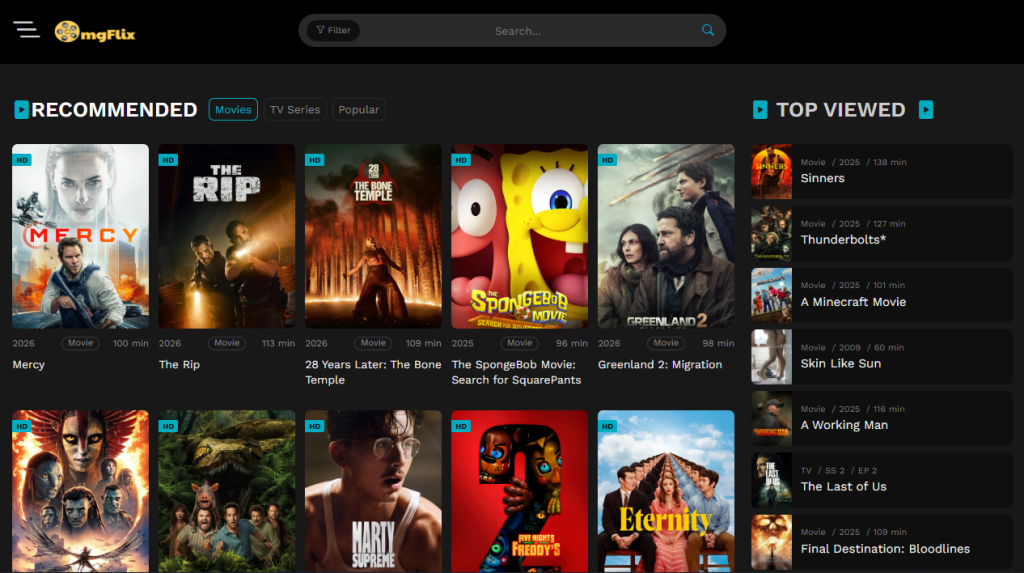
However, right now, as I am experiencing, it is online and accessible as shown in the image:

Types of Errors and How to Resolve Them
To fix the issue, you must first identify which error you are experiencing:
- Redirect Loop: Homepage or video player quickly redirects to third-party sites.
- Timeout / Spinning Wheel: White screen or “Connection Timed Out” caused by ISP-level blocks or server issues.
| Error Code | Meaning | What to Do |
| 502 | The server is overwhelmed by too many simultaneous users. | Wait for a few seconds and perform a “Hard Refresh” (Ctrl + F5). |
| 521 | The site’s server is refusing to talk to the CDN. | This is a maintenance issue. You cannot fix this; check back later. |
| 404 | The specific page or video file has been removed, or the link is broken. | Return to the homepage and search for the title again. |
| Connection Refused | Your Internet Service Provider is likely blocking the site. | Switch your DNS to a public provider. |
Is Omgflix Safe to Use? The Security Audit
Omgflix is not safe to use if you do not imply safe browsing tactics which include layered defenses such as ad-blockers, VPNs, and Incognito mode.
The main threat comes from aggressive ads, trackers, and redirects that can hijack browsers, send persistent notifications, or install unwanted scripts.
Ad-Trackers and Redirect Analysis
A single click can trigger up to five background scripts, which are designed for:
- Redirect Hijacking: Immediately pushing your browser to phishing sites or “System Clean-up” scams.
- Persistent Trackers: Cross-site cookies that follow your browsing habits even after you close the tab.
- Notification Spam: Scripts that try to trick you into clicking “Allow” on browser notifications to send you desktop ads later.
- Aggressive Trackers: Cookies that follow your browsing habits to build an advertising profile.
- Drive-by Downloads: Scripts that attempt to install unwanted browser extensions.
Tips to Watch Safely
To maintain a “Zero-Trace” presence on Omgflix, follow these:
- The “Big Three” Tools:
- Brave Browser: Natively blocks the scripts that trigger Omgflix redirects.
- uBlock Origin: The gold standard extension for filtering malvertising.
- VPN: Essential for masking your IP from the peer-to-peer trackers often found in HD streams.
- Avoid Downloads: If Omgflix asks you to “Download a Player” or “Update Chrome” to watch a video, exit immediately. Legitimate streaming happens entirely in the browser; any file download is a high-risk security threat.
- Incognito Mode: While it won’t stop viruses, using Incognito prevents the site’s trackers from attaching to your primary browser profile.
- Hardened Privacy: Enable “Block third-party cookies” and “Strict Tracking Protection” in your browser settings.
- DNS Protection: Using Cloudflare (1.1.1.1) helps filter out known malicious domains at the network level.
- The “Right-Click” Rule: Avoid left-clicking play buttons. Instead, right-click and “Open in New Tab” to see if the link is legitimate or an ad-trap.
How to Stream Omgflix Without Getting Stuck
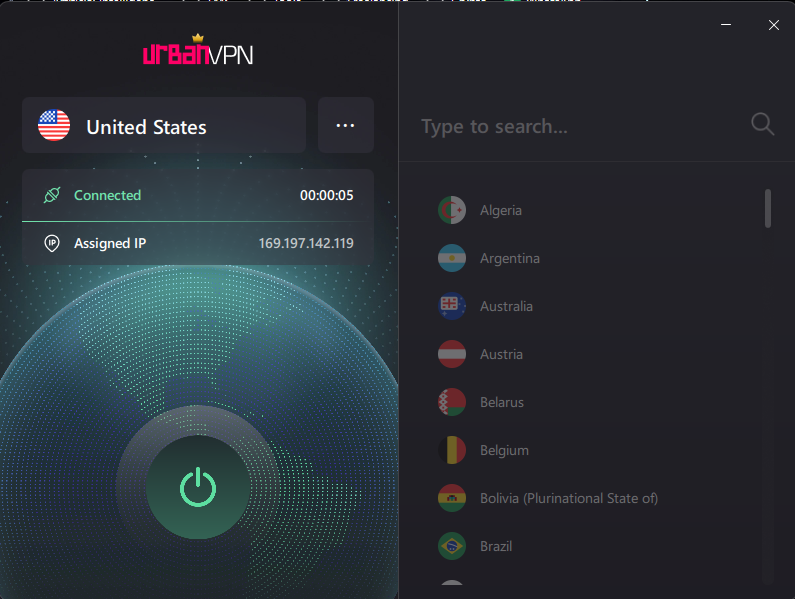
Step1. Launch VPN and I suggest you use Urban VPN as it is easy to use.
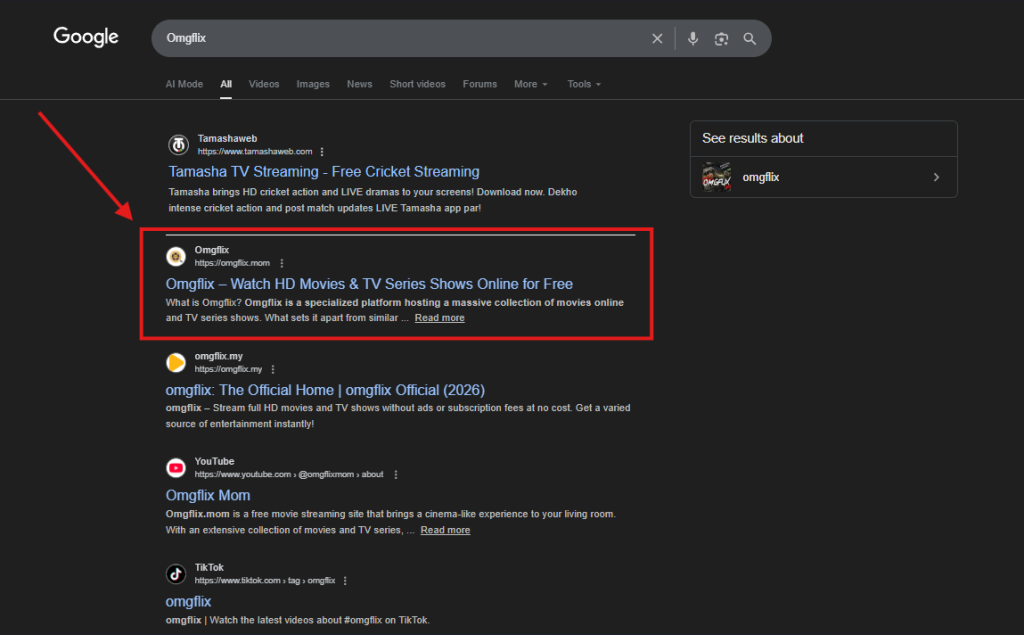
Step2. Search for the website and select the correct domain. And click the website.
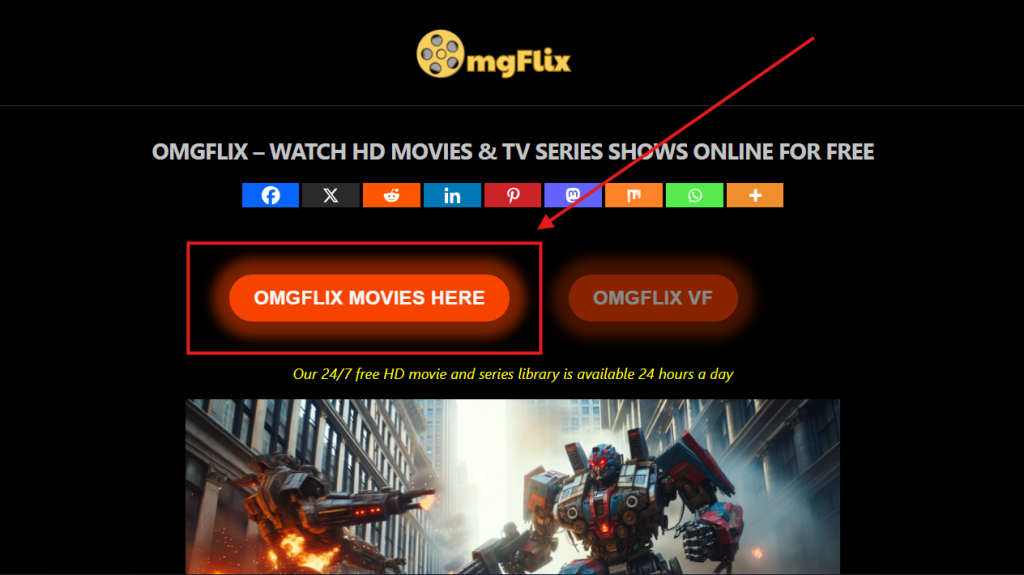
Step3. You will be navigated to this interface after click.

Step4. Now click on “OMGFLIX MOVIES HERE.”
Step5. Start streaming your favourite movie.
Best Omgflix Alternatives (Minimal-Ads and HD & 4K Video Quality)
In case Omgflix is still not working properly after applying all these strategies, several high-quality alternatives offer a smoother viewing experience. The best sites are those that prioritize HD quality and minimal layout clutter.
Comparison Table: Streaming Performance
| Platforms | Ads | Best for |
| Kanopy & Hoopla | None (Ad-Free) | Free with a library card/university email, and often provides a video quality of HD/1080p |
| The Roku Channel | Low | Minimal interruptions, good mix of content with 1080(HD) video results |
| Tubi | Low to Medium | Huge library, lighter ad load than TV at 720p(HD) |
| Fandango at Home (formerly Vudu) | Medium | Offers 4K resolution on free titles. |
| Plex | Medium | Live channels and a personal media server with HD quality video result |
Ending Note
These are all of the major issues and their solutions that I’ve discussed in this blog. While Omgflix offers a wide range of streaming content, you should still use it with caution.
However, by implementing the above-mentioned strategies, you can enjoy online content without exposing yourself to unnecessary risks. I suggest you always adopt quality platforms to protect yourself from getting stuck at random glitches.
Ultimately, informed decisions and secure practices are the key to balancing convenience, entertainment, and safety in the digital streaming landscape.