In digital marketing, CTR (Click-Through Rate) is one of the most important metrics for measuring the effectiveness of ads, emails, and search campaigns. A CTR Calculator is a simple yet powerful tool that saves time, ensures accuracy, and provides actionable insights for boosting digital marketing performance.
What Is a CTR Calculator?
A CTR Calculator is a digital tool that helps marketers quickly measure their Click-Through Rate (CTR) what percentage of people who see your ad actually click on it.
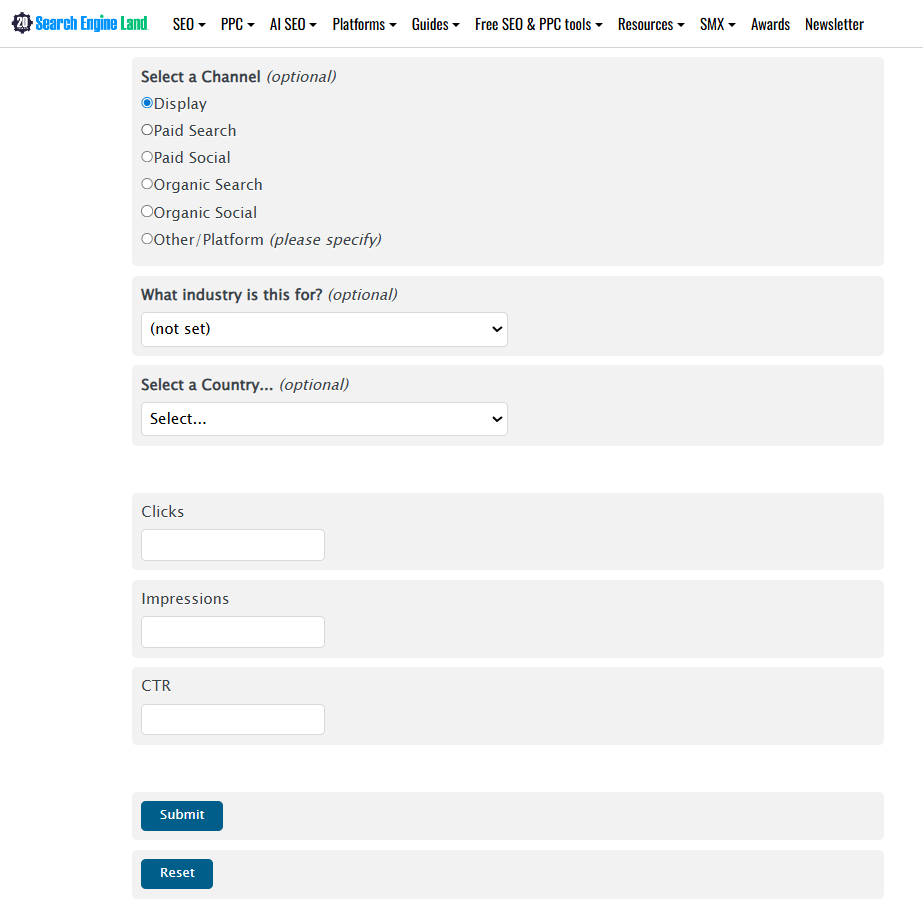
Instead of working out the CTR formula yourself, you enter two values:
- Clicks → The number of times users clicked your ad, link, or CTA.
- Impressions → The number of times your ad or link was displayed.
We take SEJ’s CTR calculator, for example.
The calculator instantly returns the CTR percentage, showing how effective your campaign is at driving user interaction.
How a CTR Calculator Works?
A CTR Calculator simplifies the math by letting you input impressions and clicks to instantly get your CTR percentage.
Example:
- Impressions: 10,000
- Clicks: 500
- CTR = (500 ÷ 10,000) × 100 = 5%
This quick calculation helps marketers:
- Compare performance across campaigns.
- Identify which ads or keywords drive the most engagement.
- Make data-driven decisions to optimize ROI.
How to Calculate CTR Manually?
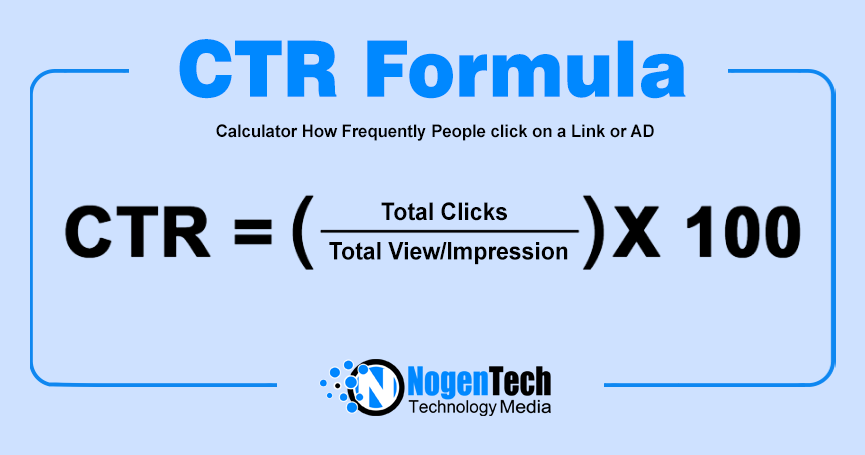
Apply the CTR Formula to check it manually:
CPC = Total Ad Spend Total Clicks
- Clicks = Number of times users clicked your ad or link. Impressions = Number of times your ad or link was shown.
- Impressions = Number of times your ad or link was shown.
Example:
- Impressions: 10,000
- Clicks: 500
- CTR = (500 ÷ 10,000) × 100 = 5%
What Is CTR and Why Does It Matter?
CTR is the percentage of people who click on your link after seeing it. It’s calculated using the above mentioned formula.
A high CTR means your content is relevant and compelling. A low CTR signals that your headlines, visuals, or targeting may need improvement.
How to Boost Your CTR
Improving CTR requires a mix of creativity and strategy. Here are proven techniques:
- Craft irresistible headlines → Use power words, numbers, and clarity.
- Optimize meta descriptions → Give users a reason to click.
- Use strong CTAs (Call-to-Actions) → Phrases like “Get Started Now” or “Download Free Guide” drive clicks.
- Leverage visuals → Eye-catching images or video thumbnails increase engagement.
- Target the right audience → Align keywords and demographics with user intent.
- A/B test campaigns → Experiment with different ad copies, subject lines, or creatives.
What are the Benefits of Using a CTR Calculator
- Accuracy: No manual math errors.
- Speed: Instant results for multiple campaigns.
- Insights: Helps spot trends and weak spots.
- Optimization: Guides you toward strategies that improve performance.
Calculate Clicks with CTR Calculator
A CTR Calculator is more than just a tool; it’s a compass for digital marketers. By checking CTR regularly and applying optimization strategies, you can transform clicks into conversions and maximize your campaign success.
CTR Calculation FAQs
Q1: Is a high CTR always good?
Not always. A high CTR with low conversions may mean your targeting is off.
Q2: What’s a good CTR benchmark?
It varies by industry. For Google Ads, 2–5% is average, while email campaigns may aim for 3–6%.
Q3: Can CTR calculators improve performance?
They don’t directly boost CTR but provide insights that help you optimize campaigns effectively.